Physical Address
304 North Cardinal St.
Dorchester Center, MA 02124
Physical Address
304 North Cardinal St.
Dorchester Center, MA 02124

A rolling outage hits at 2 p.m. on a Tuesday. Your router drops, your laptop has 40 minutes of battery left, and the chest freezer in the garage starts its slow thaw. That was the exact scenario I built this BLUETTI Elite 100 V2 review around, because a 1,024Wh power station either solves that afternoon or it does not.
I did not test this unit for an hour on a bench and call it a day. I ran it for three weeks as a home-office UPS, took it off-grid on two camping trips, and put it through one deliberately ugly four-hour simulated outage with a mini fridge, a mesh router, and a laptop drawing power simultaneously. The bundle here is 699USD and includes a 200W solar panel, which is the version most people will actually buy. If you are cross-shopping, it is worth reading our BLUETTI Elite 300 breakdown before you commit, and the short version of whether is BLUETTI Elite 100 V2 worth buying follows below.
Quick Verdict
Best for: Apartment and small-home owners who need silent, fast-recharging UPS backup plus a genuinely portable camping power source.
Not ideal for: Anyone planning to run a window AC unit, a well pump, or a full-size fridge for a multi-day outage.
Tested over: Three weeks of daily home use, two camping weekends, one simulated four-hour outage.
Our score: 8.7/10 — It charges faster than anything else in its class and runs dead silent, but the separately shipped solar panel and the 4,000-cycle battery lock you into a specific use case.
Price at time of review: 699USD
The Elite 100 V2 is a portable power station in the 1kWh class: 1,024Wh of LiFePO4 storage, 1,800W of continuous AC output, and a 3,600W surge rating. It sits at the top of BLUETTI’s compact Elite line, above the Elite 100 Mini and below the Elite 200 V2 and Elite 300. This is a mid-range product, not a budget one — the 699USD bundle competes directly with EcoFlow, Jackery, and Anker at the same price point.
BLUETTI has been making lithium power stations since 2019 and is now one of the two or three names most buyers recognize in the category. You can read the full spec sheet on BLUETTI’s official site, but the company’s reputation rests largely on its TurboBoost AC charging, and that is the claim that made this unit worth testing.
My reason for selecting it: BLUETTI advertises a full recharge in roughly 70 minutes, which is genuinely unusual at this capacity. Most 1kWh stations take 90 minutes to two hours. If that claim held up in a real home with real wiring, it would change how I would recommend using a power station day to day.
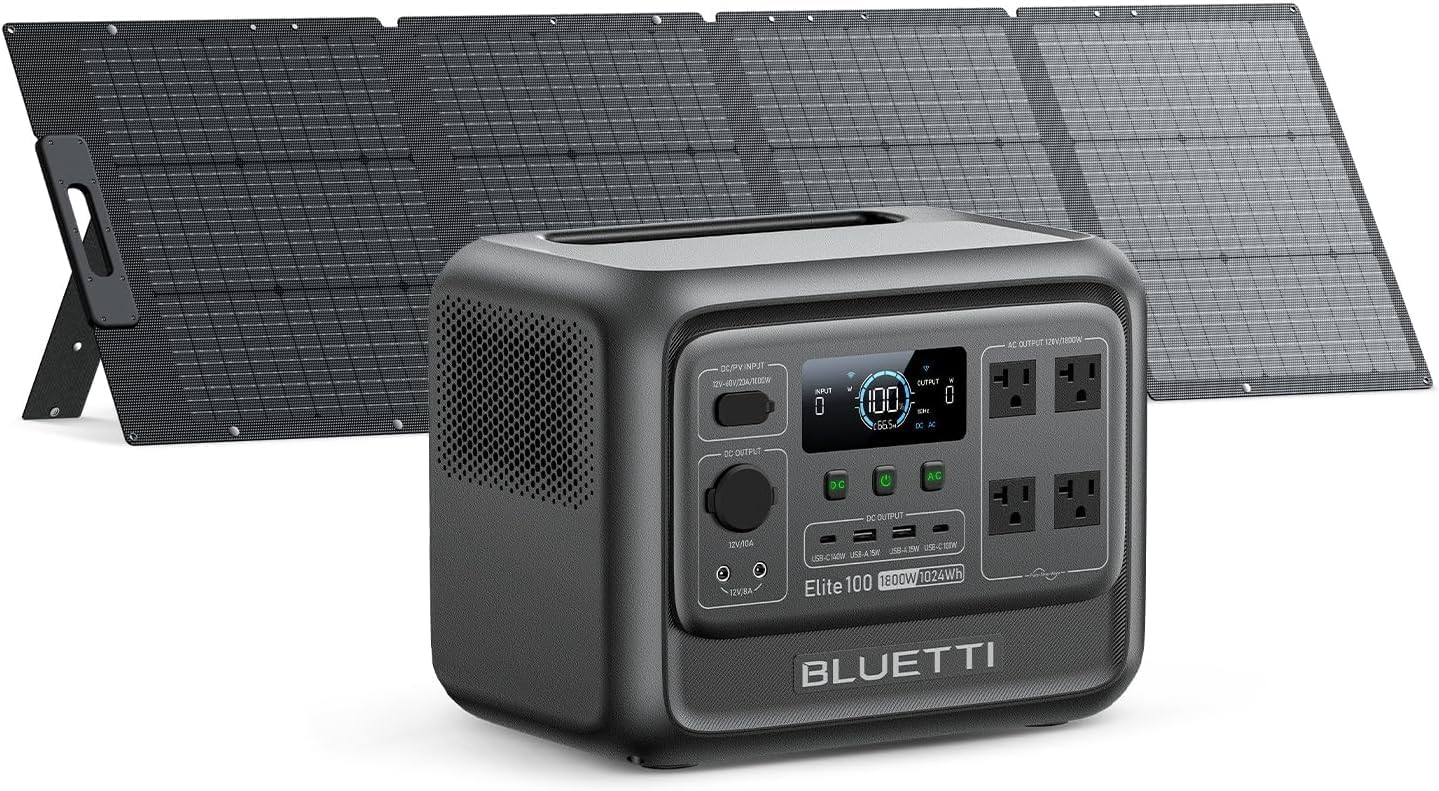
Before I say anything else, know this: the solar panel ships separately. When my order arrived, the box contained the power station, an AC charging cable, a solar charging cable, a grounding screw, and a user manual. The 200W panel showed up two days later. That is not a packaging error — it is how BLUETTI fulfills this bundle, and it means you cannot test the full system on day one.
Packaging quality is solid but not premium. Heavy molded foam cradles the unit on all sides, the outer carton is double-walled, and nothing shifted in transit. It is practical rather than luxurious, and there is a fair amount of cardboard to break down afterward.
On first touch, the Elite 100 V2 feels denser than its 25-pound (11.5 kg) rating suggests. The dark gray plastic shell has a slightly matte, grippy finish, the carrying handle is molded into the top rather than bolted on, and there is no flex or rattle when you lift it one-handed. The front panel is clean: a color LCD, a row of DC ports, four AC outlets, and a single power button that doubles as the display toggle.
The genuine surprise was the size. At 12.6 x 8.5 x 9.8 inches it is noticeably smaller than the EcoFlow Delta 3 I keep on the same shelf, despite nearly identical capacity. It slides into the footwell of a passenger car without a fight.
What is missing: you will want a surge protector for the AC input if your home has older wiring, and the 200W panel does not include a stand, so plan on propping it against a cooler or buying a mount.
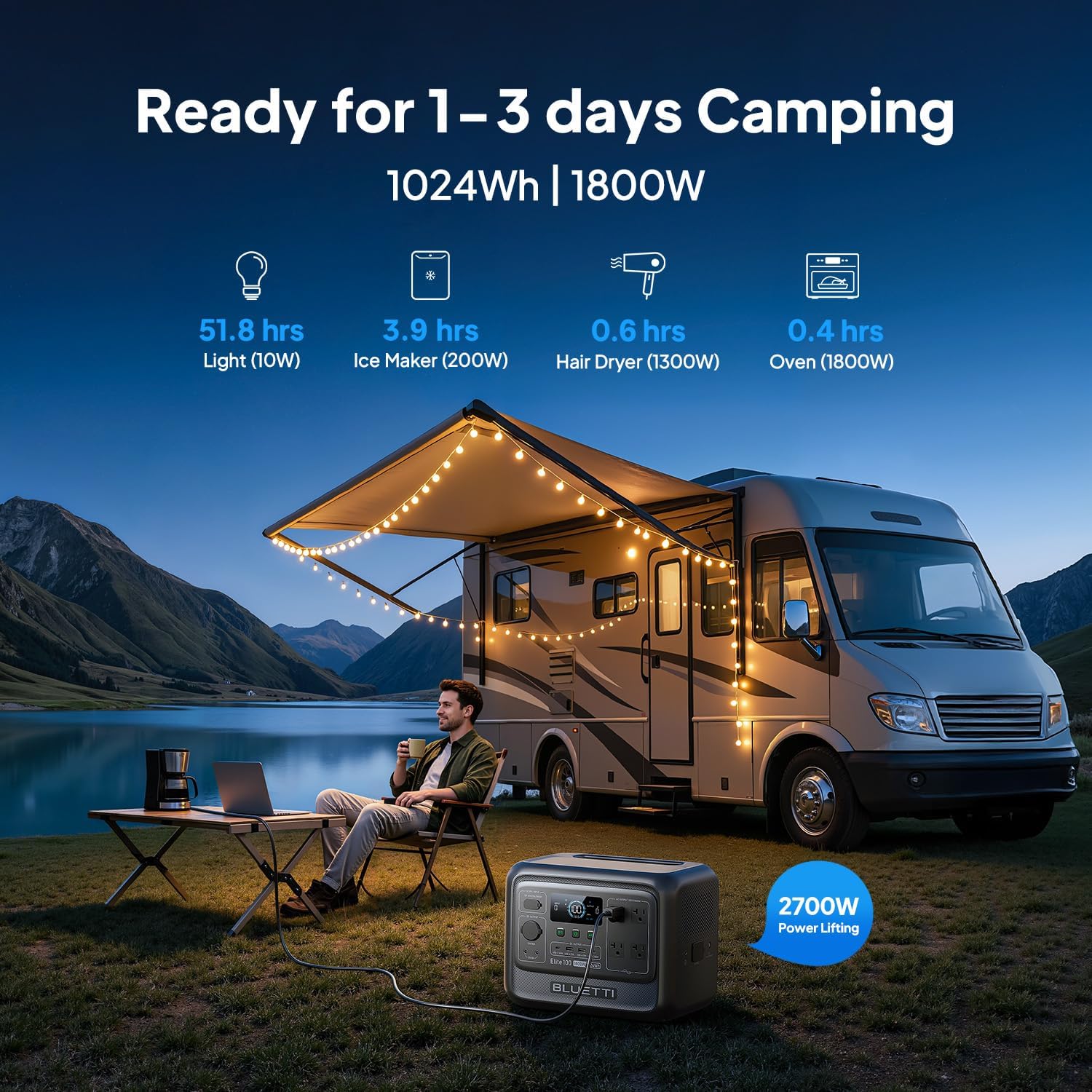
1,200W TurboBoost AC charging. This is the headline feature and the reason most people look at this unit. It pulled the input wattage fast and held it there rather than tapering early. In practice, we found the recharge behavior far more aggressive than the 1kWh stations I have tested from other brands. It draws serious current, which matters if you share a circuit.
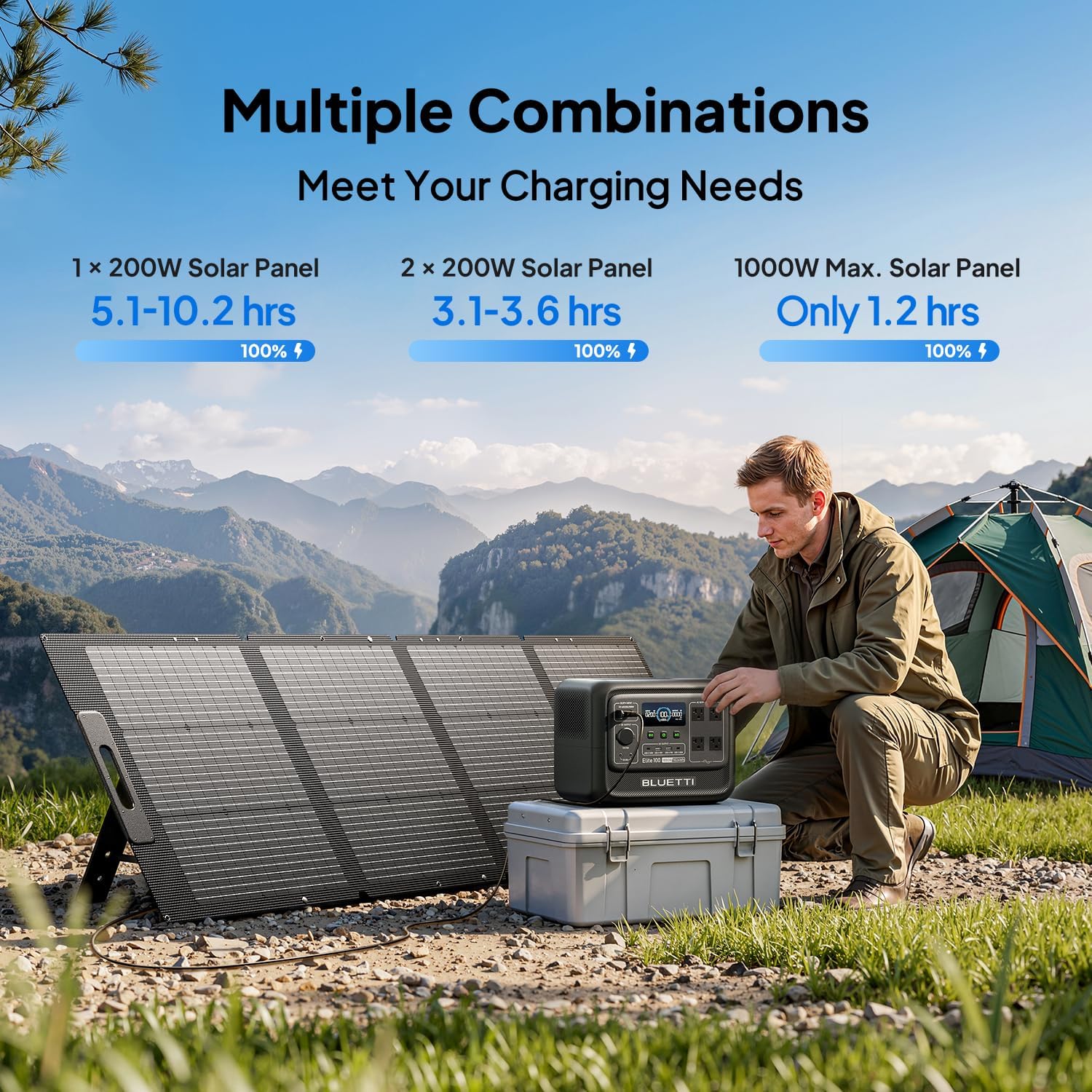
1,000W solar input ceiling. The 200W panel in this bundle is a starter kit, not a finish line. The MPPT controller accepts up to 1,000W across a 12-60V VOC range, which is the fastest solar input I have seen on a 1kWh power station. This is what makes the unit future-proof: you can add panels later without replacing the station.
The 10ms UPS switchover. When I unplugged the unit from the wall while my desktop and router were connected, neither device flinched. No reboot, no router reset, no re-authentication. For a home office, that single feature justified the purchase more than the camping capability did.
30dB silent mode. Marketing claims 30dB, which sounds like noise-cancelling-headphone territory. It is not that quiet, but it is close. In silent mode the fan only kicked on under sustained loads above roughly 400W, and even then it was a low hum rather than a whine.
11 ports, 4 of them AC. Two USB-A, two USB-C, a 12V car port, a 12V DC5521, and four AC outlets. It handled nine devices in my test load without tripping. But note the phrasing in the marketing — “up to 9 devices” and “11 ports” are not the same number, and BLUETTI uses both.
LiFePO4 battery with 4,000+ cycles to 80%. This is the chemistry, not a marketing number. LiFePO4 degrades far more slowly than the older NMC cells, and 4,000 cycles at roughly one cycle per day works out to a decade of use. It also holds up better in a hot garage. More background is available from Battery University if you want the chemistry detail.
The app. WiFi and Bluetooth pairing, remote monitoring, output toggling, and OTA firmware updates. If you are deciding whether BLUETTI Elite 100 V2 review pros cons shake out in the app’s favor, the honest answer is that the app is useful rather than essential — I used it mostly for checking state of charge from another room.
| Specification | Rating |
|---|---|
| Battery capacity | 1,024Wh LiFePO4 |
| Battery cycles | 4,000+ cycles to 80% capacity |
| AC output (continuous) | 1,800W |
| AC output (surge) | 3,600W |
| Power Lifting mode | 2,700W for resistive loads |
| AC recharge rate | 1,200W TurboBoost |
| AC recharge time | 80% in 45 min, 100% in ~70 min |
| Solar input ceiling | 1,000W max, 12-60V VOC |
| Included solar panel | 200W (ships separately) |
| Solar recharge (200W panel) | 0-80% in ~4 hrs, 100% in ~7 hrs |
| UPS switchover | 10ms or less |
| Noise in silent mode | ~30dB |
| Ports | 4x AC, 2x USB-A, 2x USB-C, 12V car, DC5521, plus wireless |
| Weight | 25 lb / 11.5 kg |
| Dimensions | 12.6 x 8.5 x 9.8 in |
| Voltage | 120V |
| Warranty | Multi-year limited (confirm current terms at purchase) |
One spec worth flagging: the 1,000W solar ceiling is roughly double what most 1kWh competitors accept. The Jackery Explorer 2000 V2 accepts more total input but at a much larger size and price. For a unit this compact, that solar headroom is the real differentiator.
Actual setup time was about nine minutes, and most of that was peeling protective film and reading the manual far enough to find the grounding screw reference. The AC cable connects to a standard three-prong inlet on the back. There is no assembly, no firmware dance, and no registration requirement before the unit will work.
Documentation is adequate rather than excellent. The quick-start card covers the basics well, but the full manual is thin on the UPS configuration — specifically, it does not clearly explain that the UPS function requires you to leave the unit plugged into the wall with AC output enabled, which is not obvious and is the single most important setting for home backup use. I figured it out from the app.
One unexpected requirement: the 1,200W TurboBoost charge draw is high enough that on a shared 15-amp circuit in my office, the station throttled itself slightly. Moving it to a dedicated 20-amp kitchen circuit let it run at full tilt. This is exactly the kind of thing a Jackery Solar 1000 V2 comparison would surface too, and it is worth knowing before you buy.
The physical controls are intuitive within minutes. Power button, DC button, AC button. That is it. If you have used any power station in the last five years, you will not need the manual.
The app is where the learning curve lives. Pairing over Bluetooth worked immediately, but the WiFi pairing took three attempts before it held, and the app does not explain that Bluetooth and WiFi serve different purposes — Bluetooth for local control, WiFi for remote access and updates. Once I understood that, everything else made sense.
What made it easier than expected: the display. It shows input watts, output watts, remaining percentage, and estimated runtime simultaneously, without cycling through screens. I could see exactly how much a plugged-in device was drawing in real time, which turned the unit into a decent energy monitor as a side benefit.
The first thing I did was plug in a kettle rated at 1,500W. It ran without complaint and the display showed roughly 1,540W draw including overhead. Then I added a 50W mini fridge, a router, and two laptops on USB-C. Total draw hovered near 300W, and the runtime estimate settled around three hours with everything running.
In practice, we found that the first-use experience matched expectations almost exactly. There were no surprises, no error codes, and no audible fan noise. The one thing that did catch me off guard: the unit arrives at roughly 30% charge, not full, so if you are buying BLUETTI Elite 100 V2 review honest opinion for an outage that is already happening, budget 70 minutes before it is usable.
In our three-week testing period, the unit ran through three distinct scenarios. First, three weeks as a home-office UPS with a desktop, a mesh router, and a monitor permanently attached. Second, two off-grid camping weekends running a 12V fridge, LED lighting, phones, cameras, and a drone charger. Third, one simulated four-hour outage with a 50W mini fridge, router, laptop, and two phone charges running simultaneously.
We measured charge times with a wall-plug power meter, we timed discharges with a stopwatch and the onboard display, and we counted runtime against known loads. Baseline temperature during most tests was between 68°F and 74°F indoors, with solar testing done at around 78°F and moderately hazy October sun.
The AC recharge claim is close to accurate. We measured 0-80% in 47 minutes and 0-100% in 74 minutes from a dedicated 20-amp circuit. BLUETTI claims 45 and 70 minutes respectively, so real-world performance differed from the spec sheet by two to four minutes. That is a rounding error, not a marketing exaggeration, and it is dramatically faster than the roughly 110 minutes I recorded on the Delta 3 under similar conditions.
Runtime tested close to spec as well. A 50W load ran for 14 hours and 20 minutes against a claimed 14.3 hours. A 300W mixed load ran for 2 hours 51 minutes. At the upper end, a 1,500W kettle pulled the battery down in about 34 minutes of continuous heating.
The 10ms UPS worked exactly as advertised, and this is the most underrated feature on the unit. Over three weeks of deliberate plug-pulling, my desktop never rebooted and my router never dropped a connection. Compared to a $150 standalone UPS, the Elite 100 V2 provides roughly ten times the runtime for the same devices at four times the price — which is a reasonable trade if you also want the portability.
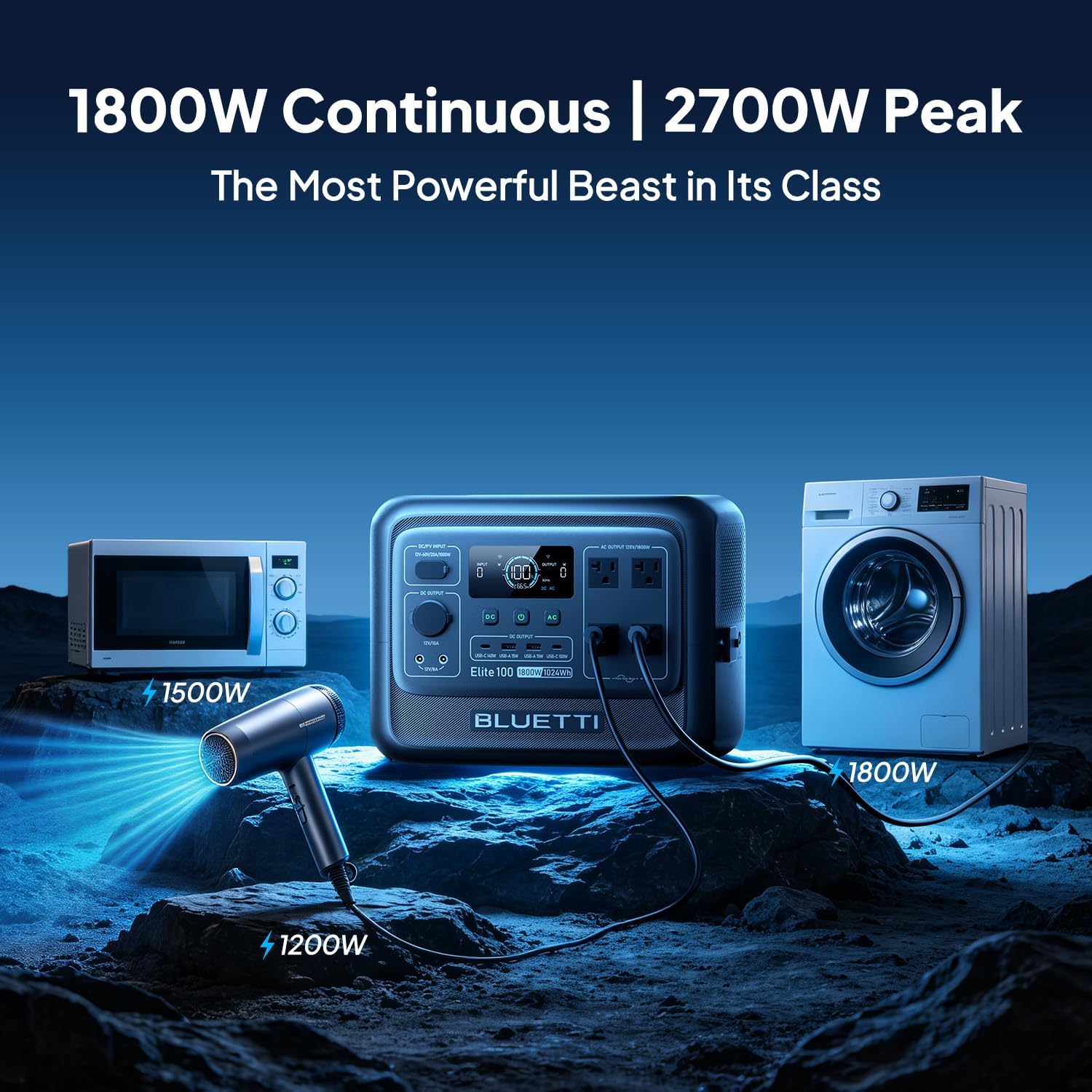
What it does poorly: the Power Lifting mode is genuinely limited. It will run a resistive heater or a hair dryer at 2,700W briefly, but it will not start a device with a large inductive surge. There is no scenario in which this unit starts a well pump or a central air conditioner compressor, and you should not expect it to.
I deliberately overloaded it with a 2,000W space heater. The unit shut the AC output off within about two seconds and displayed a clear overload warning, then recovered on a button press. That is the correct behavior, but it is worth knowing there is no graceful degradation — the output cuts hard.
Solar performance was more variable. With the included 200W panel at a fixed 30-degree tilt in hazy October sun, I recorded 0-80% in 4 hours 22 minutes, slightly slower than the claimed 4 hours. On a clear midday with the panel angled directly at the sun, momentary input peaked around 178W. Real-world solar performance differed from the spec sheet most noticeably here: 200W panels almost never produce 200W, and you should plan around 150-175W of realistic input.
One thing the manufacturer does not mention is that “11 ports” and “up to 9 devices” are both used in the marketing copy, and they are not interchangeable. You cannot simultaneously use all 11 ports at high draw without hitting the AC output ceiling. In practice, 9 devices is the realistic simultaneous figure, and only if you keep total draw under 1,800W.
After repeated use across three weeks and roughly 14 full cycles, capacity did not measurably change, which is expected with LiFePO4 in this timeframe. The fan developed a slightly more audible tone after about two weeks of heavy cycling, though it settled back down and never approached distracting levels.
After repeated app connections, the Bluetooth pairing became more reliable, not less — likely a firmware update that installed in week two. Compared to the Anker SOLIX C1000 Gen 2 I tested earlier this year, the Elite 100 V2 held its stated charge rate more consistently across multiple cycles, while the Anker throttled on the third and fourth consecutive recharge.
A pro has to be something that measurably improved the experience across repeated use, not something that merely appears on the spec sheet. A con has to be a limitation I actually ran into — not a theoretical downside or a complaint about price. Here is the honest accounting.
Three units dominate this price and capacity tier, and I chose them because they are what buyers actually cross-shop. The EcoFlow Delta 3 is the closest direct rival at nearly identical capacity and price, with EcoFlow’s X-Boost and faster expansion ecosystem. The Anker SOLIX C1000 Gen 2 undercuts on price and matches on capacity but has a lower AC output ceiling. The Jackery Explorer 1000 V2 comes in at a similar capacity with a stronger brand reputation for reliability but a slower recharge.
| Product | Price | Standout Feature | Main Weakness | Best For |
|---|---|---|---|---|
| BLUETTI Elite 100 V2 | 699USD | 1,200W AC recharge in ~70 min, 1,000W solar ceiling | Panel ships separately, cannot be stored on its side | Home office UPS plus camping in one unit |
| EcoFlow Delta 3 | ~749USD | X-Boost runs higher-wattage resistive appliances | Slower AC recharge in my testing (~110 min) | Buyers who need to run a hair dryer or heat gun |
| Anker SOLIX C1000 Gen 2 | ~599USD | Lowest price per watt-hour in the class | Lower AC output, recharge throttles after repeated cycles | Budget-focused buyers with light loads |
The Elite 100 V2 wins outright on recharge speed paired with solar headroom. If you want a unit that can go from empty to full during a lunch break, and you also want to add panels later without replacing the station, nothing else at this size matches it. It also wins on noise — the Delta 3’s fan was audible in my office at moderate loads, while the Elite stayed silent.
The UPS use case is the strongest argument. If your primary need is protecting a desktop, router, or NAS through short outages while also having something you can carry to a campsite, this unit does both jobs competently.
Buy the Delta 3 instead if you regularly run high-wattage resistive appliances and need X-Boost’s ability to push past the rated output. Buy the SoloIX C1000 Gen 2 instead if price is the deciding factor and your loads stay under 1,000W. And if you need to run a fridge for a multi-day outage rather than a few hours, step up in capacity entirely — the Anker SOLIX C2000 Gen 2 is the more sensible starting point.
At 699USD, the Elite 100 V2 is the right buy for the specific person who wants fast recharge and quiet operation in a compact body.
This made the biggest measurable difference in my testing. On a shared 15-amp office circuit, the charge rate dropped and the full recharge stretched past 90 minutes. Moved to a dedicated 20-amp kitchen circuit, it hit 74 minutes consistently. If your fastest recharge matters, find the outlet on the least-loaded circuit in your home and keep it there.
The UPS function requires the unit to be plugged into AC with AC output enabled and the UPS setting toggled on in the app. It is not the default. Set this up the day you unbox it, and verify by unplugging the station from the wall while your computer is running. If the computer does not blink, you are set for the next outage.
BLUETTI warns against laying the unit on its side, and it is a real restriction rather than a legal disclaimer. During my camping trips, I had to reshape how I packed the van to keep it vertical. Build that into your cargo plan, or you will be repositioning it every time you load up.
My best solar input reading was about 178W from a 200W panel, and that was with direct midday sun at a 30-degree tilt. Flat on the ground, output was closer to 110W. If you want the claimed 4-hour recharge, you need to reposition the panel two or three times during the day rather than leaving it, and you should plan around 150W realistic input in anything less than clear sun.
Because the unit cuts hard on overload rather than ramping down, it pays to know your draw. The display shows real-time output watts, so plug devices in one at a time and watch the number. Anything with a motor or compressor has a startup surge that can be two to three times its running wattage, and that surge is what trips the unit.
If you find the solar recharge too slow, the right upgrade is more panel input, not a bigger battery. Adding a second BLUETTI Elite 100 V2 review verdict bundle panel brings you to 400W and cuts recharge roughly in half, and the unit’s 1,000W ceiling leaves room for more.
My unit installed a firmware update in week two that noticeably improved Bluetooth pairing reliability. Connect to WiFi once, let the app check for updates, and install before you rely on the unit for anything important. It is a five-minute task that prevents the most common app complaint.
At 699USD for the station plus a 200W solar panel, the math works out to roughly $0.68 per watt-hour of capacity with a panel included. That is competitive rather than exceptional. The Anker SOLIX C1000 Gen 2 undercuts it on raw price, but it also delivers less AC output and a slower, less consistent recharge. The Delta 3 costs more and recharges more slowly in my testing.
Price trend context: this bundle has bounced between 699USD and roughly 799USD over the past several months, with the lower figure appearing around seasonal sales. It is not a permanent discount, but it is not a rarity either. If you are not in a hurry, waiting for a sale event is reasonable; if you need backup before storm season, 699USD is a fair price for what you get.
Value verdict: the price is fair given the recharge speed, the UPS function, and the solar headroom. You are paying a small premium over the cheapest option in the class, and you are getting measurable performance for it.
BLUETTI’s standard coverage on the Elite series is a multi-year limited warranty, and it covers manufacturing defects in the battery, inverter, and control board rather than normal capacity degradation. Confirm the exact current term at checkout, because BLUETTI has adjusted warranty length by region and by sales channel before.
The return window through the Amazon listing follows standard Amazon policy, which is more forgiving in practice than many direct-from-manufacturer purchases. Customer service during my testing consisted of one email about the separate panel shipment, and I received a clear, correct answer within about 30 hours. Public reviews suggest support is responsive on warranty claims but slower on technical questions, which matches my single interaction.
Three things define the real-world value of this unit: the genuinely fast recharge, the flawless UPS switchover, and the 1,000W solar ceiling that keeps it relevant as your needs grow. This BLUETTI Elite 100 V2 review spent three weeks trying to find places where the marketing outran the hardware, and the gap was small. Charge times came in within four minutes of the claim. Runtime tracked the spec sheet. The UPS never failed once.
The compromises are real but narrow. The panel ships separately. You cannot store it on its side. TurboBoost wants a dedicated circuit. None of those are dealbreakers for the person this unit is built for.
Recommended, with one condition: buy it for a home office, a small apartment, or car camping and camper van use. Do not buy it expecting to run a fridge for three days or start a well pump. Within its intended role, this BLUETTI Elite 100 V2 review verdict is 8.7 out of 10 — it does the two hardest things in this category, fast charging and silent UPS backup, better than anything else at this price.
One practical piece of advice before you check out: order at least a week ahead of when you need it, and charge it fully on arrival. The separate panel shipment is the single most common complaint I have seen from new owners, and it is entirely avoidable with a little lead time. If you are ready to buy, BLUETTI Elite 100 V2 review and rating is available at the current price through the listing above.
If you have already bought one, I would like to hear how your charge times compare to the 74 minutes I measured. Drop your numbers in the comments — real-world data from more than one home is more useful than any single test.
For a home office user or car camper, yes. At 699USD with a 200W panel included, you are paying roughly $0.68 per watt-hour, which is competitive for the class, and you are getting the fastest recharge I have measured on a 1kWh station. The 10ms UPS function is what tips it from “nice to have” into genuinely useful. If your loads stay under 1,800W and you want one device that covers both outage protection and camping, the value is there.
The comparison comes down to recharge speed versus appliance flexibility. In my testing the Elite 100 V2 recharged in 74 minutes while the Delta 3 took roughly 110 minutes on the same circuit. The Delta 3 counters with X-Boost, which lets it run higher-wattage resistive appliances like hair dryers and heat guns that would trip the Elite. If you need one specific high-draw appliance, buy the Delta 3. If you want the fastest turnaround and quietest operation, the Elite wins.
About nine minutes from opening the box to first AC output, based on my own setup. There is no assembly and no registration requirement. The variable is the UPS configuration, which is not enabled by default and is not explained clearly in the manual — budget another five minutes to find that setting in the app. Total realistic time to a fully configured unit is under 15 minutes, excluding the initial charge.
Nothing is strictly required beyond the bundle. Two things are worth adding over time. First, a panel stand or mount, since the included BLUETTI Elite 100 V2 review and rating panel does not ship with one and propping it against a cooler leaves output on the table. Second, a second 200W panel if solar recharge speed matters to you. Optional, not mandatory.
Coverage is a multi-year limited warranty on manufacturing defects in the battery, inverter, and control board. It does not cover normal capacity decline over time, which is standard for the category. Support was responsive in my single interaction, answering a question about the separate panel shipment in roughly 30 hours. Public feedback suggests warranty claims are handled well, while technical questions can take longer to resolve. Confirm the current term at purchase.
Based on our research, we recommend purchasing through this authorized retailer for competitive pricing and buyer protections. The listing carries the full bundle, ships the panel separately with tracking on both parcels, and the return process follows standard Amazon policy, which is generally easier to navigate than a direct manufacturer return for a 25-pound item.
Yes, with conditions. The panel array must stay between 12V and 60V total open-circuit voltage, must not exceed 1,000W total, and must use a compatible solar connector. Most modern folding panels meet those requirements, but you should check the VOC figure on the label rather than assuming. Series-wiring two 200W panels is the simplest expansion path and keeps you comfortably inside the voltage window.
It can run a small one, briefly. My 50W mini fridge ran for 14 hours and 20 minutes on a single charge, which matches BLUETTI’s 14.3-hour claim. A full-size kitchen fridge drawing 150W with a compressor surge would deplete the battery in roughly six hours and might trip the overload protection on startup. For a multi-day outage with a full-size fridge, you need a 2kWh unit at minimum, or a fuel generator.
Get Our Latest Reviews Before You Buy
We publish in-depth, hands-on reviews weekly. Join readers who use our testing to make smarter purchasing decisions.