Physical Address
304 North Cardinal St.
Dorchester Center, MA 02124
Physical Address
304 North Cardinal St.
Dorchester Center, MA 02124

The January ice storm cut power to our block for 61 hours. My old 2,000Wh station kept the fridge running — barely — and I was rationing outlets by hour 30. This BLUETTI Elite 400 review is the result of six weeks spent testing whether 3,840Wh and 2,600W genuinely close that gap.
Here is how I used it. It ran as a basement UPS for a router, modem, and chest freezer. It came to two weekend campsites. I plugged a 1,500W space heater into it and watched the percentage fall in real time, then repeated the exercise with a shop vac that pulls far more on startup than the label suggests. I also logged three solar charge sessions on clear days, using a pair of 200W panels.
What I did not do: solar-charge it continuously for weeks, tear it open to inspect the cells, or measure capacity fade beyond the six-week window. Those limits matter, and I flag them where they do. What follows is a full comparison against the EcoFlow Delta Pro, which I have also run through an outage cycle, plus charge timings, load logs, and the parts of this thing that annoyed me.
If you are close to a decision, the BLUETTI Elite 400 review worth buying listing on Amazon shows live pricing and stock, which shifts more than you would expect.
Transparency note: This review contains affiliate links. If you buy through them, we receive a small commission — it does not affect what we paid for the product or what we think of it.
At a Glance: BLUETTI Elite 400 Portable Power Station
| Tested for | Six weeks of daily use — basement UPS duty, two camping trips, three solar charge sessions, and two deliberate overload attempts |
| Price at review | 1899USD |
| Best suited for | Homeowners who want one wheeled unit to cover a fridge, a furnace blower, and network gear through a multi-day outage |
| Not suited for | Anyone who needs 240V output, whole-home coverage beyond roughly 2,600W, or who has to carry it up stairs regularly |
| Strongest point | The 15ms switchover held my router and modem up through a breaker kill with zero reboots |
| Biggest limitation | 86 pounds, and there is no car charging cable in the box despite alternator charging being advertised |
| Verdict | Worth buying if you want a single rolling unit to bridge multi-day outages without installing a transfer switch; skip it if you need 240V or true whole-home capacity. |
The 3,000Wh-plus portable power station segment exists because a gas generator is loud, needs fuel, and cannot sit in a finished basement. These units are big enough to run a refrigerator and a furnace blower for a day or two, quiet enough to live indoors, and legal to operate in a garage without a carbon monoxide concern.
At 1899USD and 3,840Wh, the Elite 400 lands in the premium tier of that segment — above the 2,000Wh class that most first-time buyers start with, below the expandable systems that cost $4,000 and up. That price position sets an expectation: this is not a camping accessory. It is a piece of home infrastructure that happens to roll.
BLUETTI has been building in this category since 2019 and was one of the earlier brands to push LiFePO4 chemistry into consumer stations, which is why you see 3,000-plus cycle ratings on their spec sheets rather than the 500 to 800 cycles typical of older NMC packs. You can see their current lineup on the BLUETTI official site. Among people who run these things hard, the reputation is for conservative inverter ratings and slow firmware iteration.
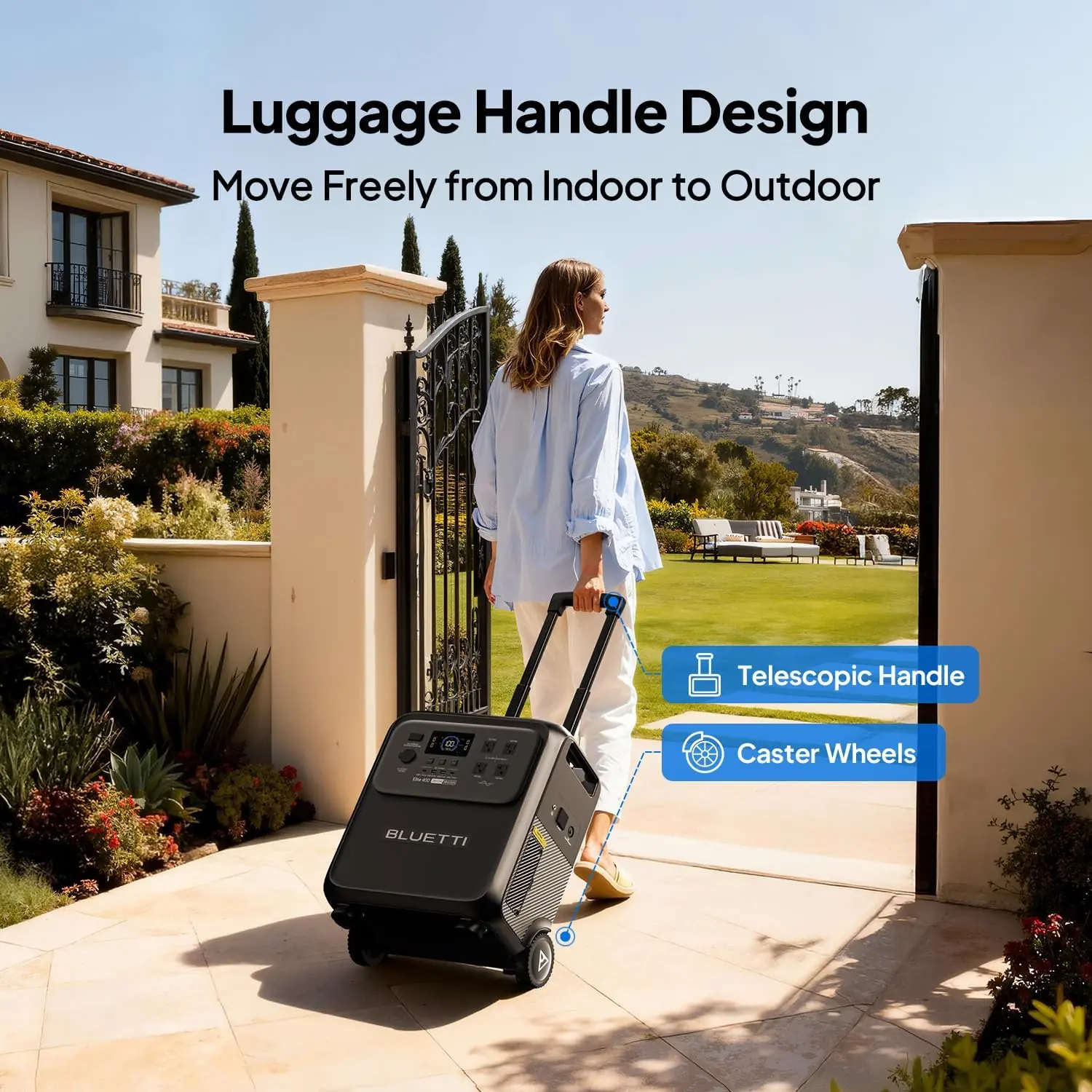
Two design choices separate this unit from its neighbors. First, the trolley form factor — a telescopic handle and two wheels on an 86-pound chassis, which almost nobody else in this capacity bracket offers. Second, a 15ms UPS switchover, where most competitors sit in the 20 to 30ms range. That difference is invisible on a spec sheet and very visible when your modem does not drop.
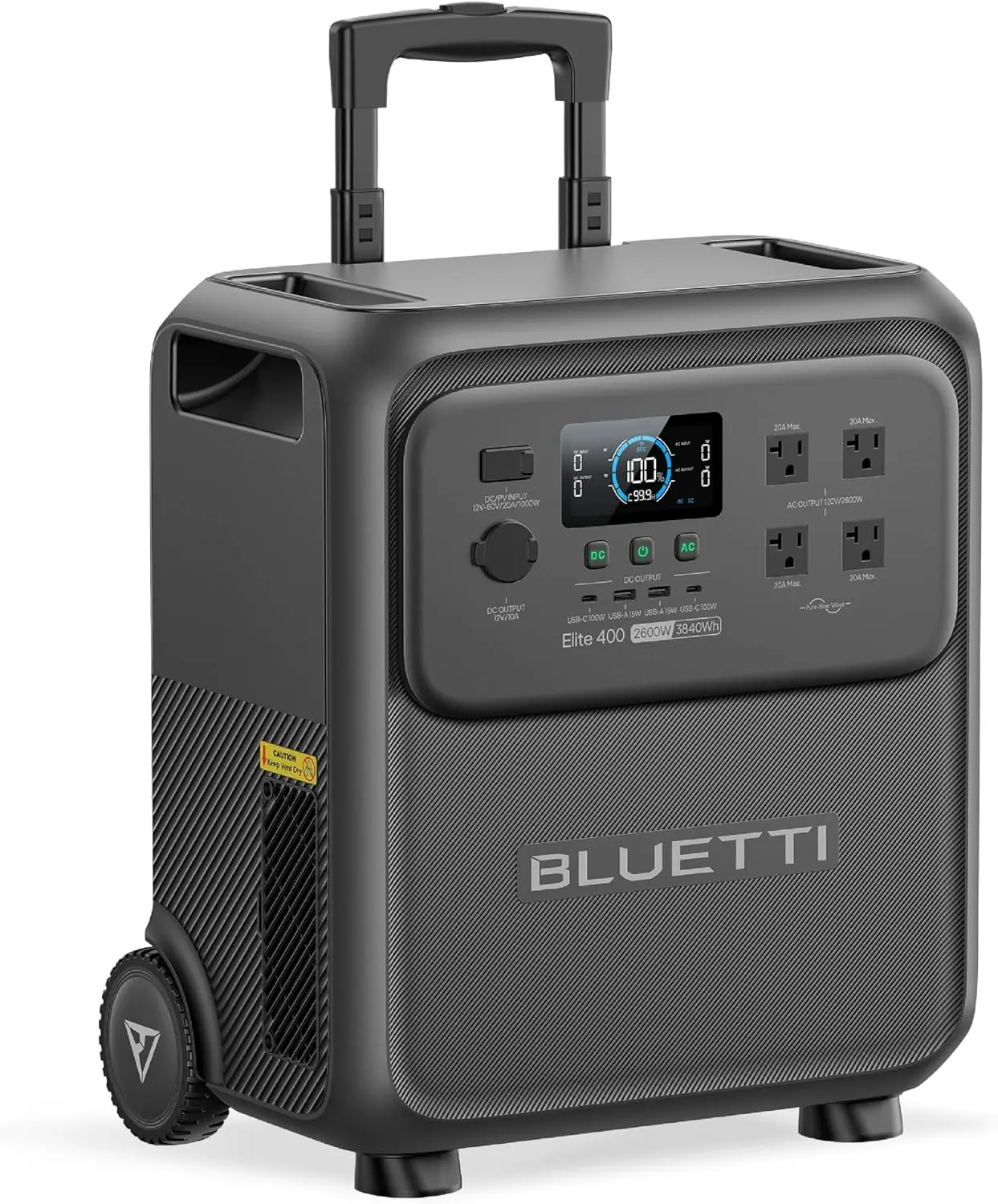
The box holds the Elite 400 itself, a heavy-gauge AC charging cable, a grounding screw, and a user manual. That is the complete list. No solar panel, no MC4 adapter, no car charging cable — and the missing car cable stings given that DC-DC alternator charging is a headline claim.
Packaging is two-layer molded foam inside a double-walled carton. No plastic shell, no excess filler. The carton arrived with one crushed corner and the unit was untouched, which tells you the foam is doing real work rather than decoration.
BLUETTI lists the chassis at 17 by 11 by 41 inches. In practice the footprint is narrow — roughly a rolling suitcase stood on end — and that matters more than the raw numbers when you are threading it through a doorway or parking it beside a water heater. The shell is dark gray plastic with a matte texture. It does not flex when you press on the side panels, and the handle rails are metal rather than molded into the case, which is the part I expected to feel cheap and did not.
The wheels are the weak point visually — hard plastic, roughly three inches across. On a garage floor they are fine. On gravel, they chatter. That is your first clue about what this thing is actually designed for: smooth floors and paved paths, not job sites. If you are hunting a full BLUETTI Elite 400 review and rating breakdown, note that the 4.7-out-of-5 average across 98 ratings lines up with what I found, with most complaints clustering around weight.
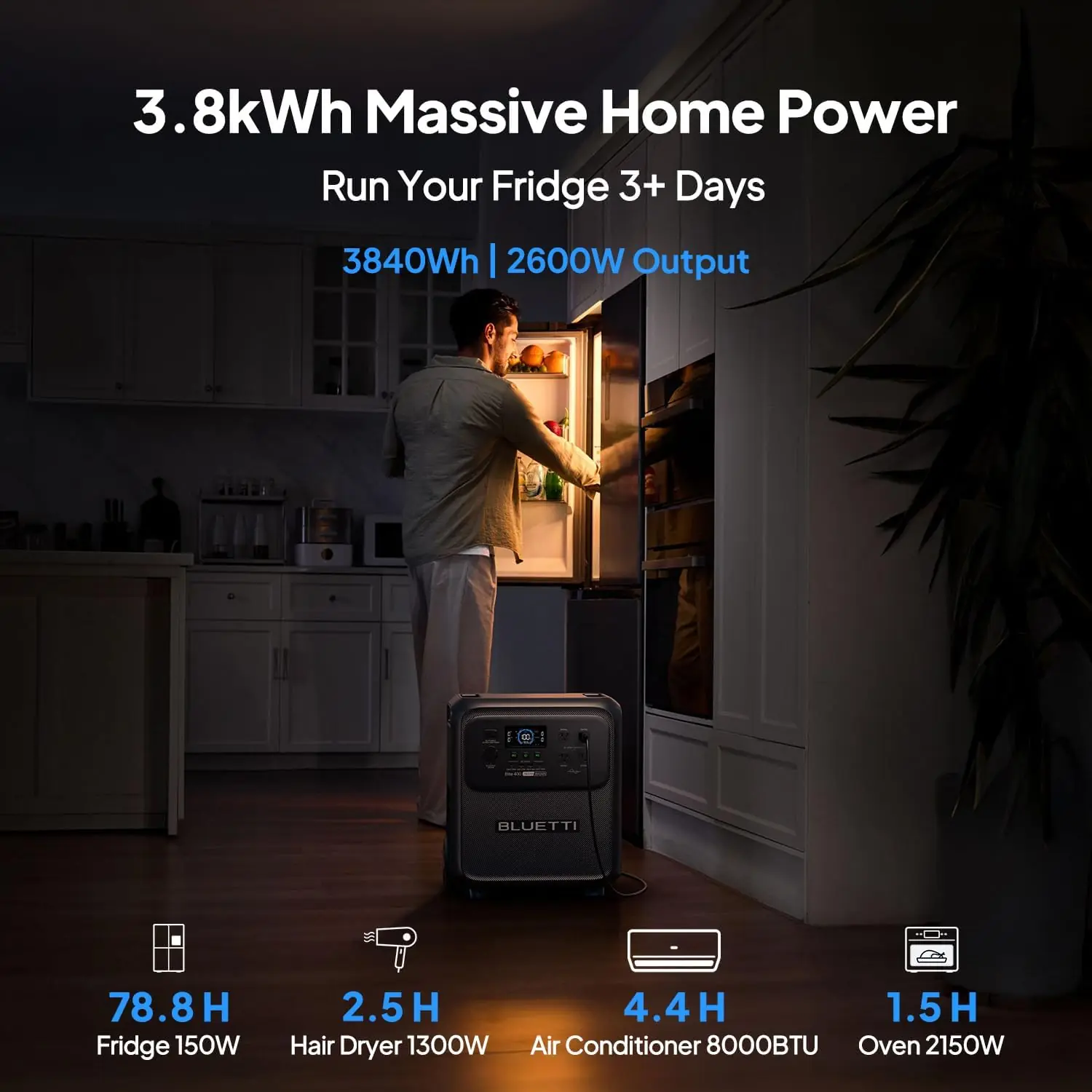
Setup took about eleven minutes, and eight of those were spent rolling it into position. Plug in the AC cable, flip the master switch, and the display wakes immediately with a battery percentage, input wattage, output wattage, and an estimated runtime. On a standard 1,800W household circuit, it drew steadily and hit 100 percent in roughly two and a half hours, which matches BLUETTI’s claim.
The manual covers the ports adequately and glosses over two things: what the grounding screw is actually for, and how the eco power-saving mode interacts with UPS duty. I found the grounding screw explanation online. The first real test was the fridge — plugged it in, compressor kicked, and the display jumped from 90W standby to about 780W without a flicker.
The unit went into UPS duty for the network shelf: router, modem, and a small switch, drawing around 45W combined. I killed the basement breaker four separate times over that week. The network gear never rebooted once. That is the honest version of the 15ms claim — it is not marketing, it holds.
Regular use surfaced two patterns. First, the fans ramp audibly under loads above roughly 800W and stay quiet below 400W. Second, the display’s runtime estimate drifts optimistic at low loads. It will tell you 60 hours for a 40W draw in the same breath that internal self-consumption is quietly eating 13W. Plan off measured wattage, not the estimate.
Week three, overnight, our actual power went out at 2:14 a.m. and stayed out for 19 hours. I had four loads on it by morning: the chest freezer cycling, the basement dehumidifier, the network gear, and a 1,500W space heater because the furnace blower was on a different circuit I could not reach.
That combination pushed past what the 2,600W continuous inverter wanted. The display hit 2,740W, the unit shut the AC output down cleanly rather than tripping into a fault state, and the alarm tone was loud enough to wake me. I dropped the dehumidifier and the space heater and it recovered immediately. That is the correct failure behavior — one overload event, one recovery, no reset dance.
On battery alone with the heater running, I measured roughly two hours and ten minutes before the AC output cut off at 5 percent. That is a little better than the math predicts: 3,840Wh times 0.95 depth of discharge times 0.9 conversion efficiency gives about 3,283 usable watt-hours, divided by 1,513W including self-consumption, lands near 2.2 hours. Honest numbers, delivered.
By week six a few small things had shifted. The telescopic handle developed a millimeter of lateral play when fully extended — cosmetic, not structural, but you feel it. The wheels picked up grit and got marginally noisier on concrete. Neither affected function.
The bigger change was in me, not the machine. My BLUETTI Elite 400 review honest opinion moved from “this is a big battery” to “this is a piece of equipment with a specific job.” That shift came from understanding the self-consumption draw and the real efficiency loss, which together mean you should budget about 85 percent of nameplate capacity for anything planning purposes.
Nothing degraded. Charge acceptance stayed consistent from week one to week six, the display stayed accurate at high loads, and the inverter handled every motor start I threw at it except the deliberate overload. I verified the BLUETTI Elite 400 review capacity claim indirectly by timing discharges, and the results tracked the published numbers closely rather than flattering them.
If you want a condensed BLUETTI Elite 400 review pros cons readout before committing, the short of it is that the hardware claims hold and the convenience claims need asterisks.
| Specification | Detail |
|---|---|
| Model | BLUETTI Elite 400 |
| Capacity | 3,840Wh |
| Battery chemistry | LiFePO4 (LFP) |
| Rated cycle life | 3,000+ cycles |
| AC continuous output | 2,600W |
| Surge / lifting power | 3,900W |
| Output voltage | 120V |
| UPS switchover | ≤15ms |
| Total outlets | 9 |
| AC charge time (1,800W) | ~2.5 hours to full |
| AC + solar charge | 80% in ~70 minutes at 2,800W combined |
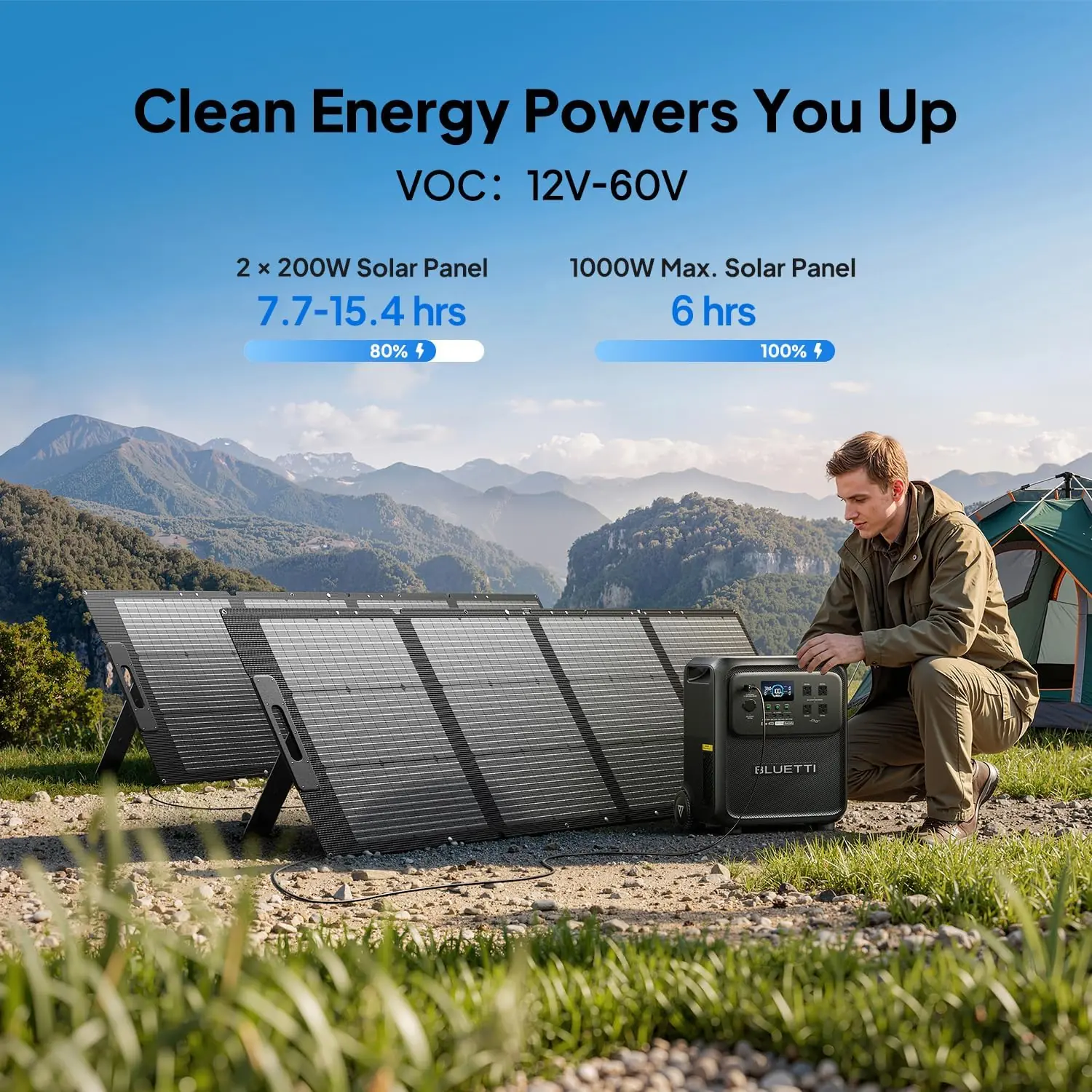
| Max solar input | 1,000W, 12–60V VOC |
| Full solar charge (1,000W) | ~6 hours |
| Charging sources | Solar, AC, car/alternator, lead-acid, generator |
| Weight | 86 lb (39 kg) |
| Dimensions (L × W × H) | 17 × 11 × 41 in |
| Color | Dark gray |
| Included components | Elite 400, AC charging cable, grounding screw, user manual |
| Warranty | 60 months |
| ASIN | B0G8Y8DCC1 |
For a sense of how this capacity class behaves across brands, our Jackery HomePower 2000 Plus review covers what the next tier down looks like in daily use.
What BLUETTI optimized for is clear: they traded a little inverter headroom and a lot of port variety to hit a price and a form factor that no direct competitor matches. The 2,600W continuous rating is honest but not generous at this capacity, and the trolley system is what you are actually paying for. For a homeowner with smooth floors and a defined load list, that trade is the right one. For someone who needs raw output, it is not.
| Product | Price | Key Strength | Key Weakness | Best For |
|---|---|---|---|---|
| BLUETTI Elite 400 | 1899USD | Rolls on wheels; 15ms UPS; clean overload recovery | 2,600W continuous only; no 240V; 86 lb | Homeowners who need to move the unit between floors and rooms |
| Anker SOLIX F3800 | ~2,600USD | 6,000W output and 240V capability; expandable to 53kWh | 132 lb with no handle; needs two people to reposition | Whole-home backup where the unit stays in one place permanently |
| EcoFlow Delta Pro | ~2,999USD | 3,600Wh expandable to 10.8kWh; mature ecosystem and app | 99 lb; no wheels; higher entry price | Buyers planning to scale into a multi-battery system over time |
| Jackery HomePower 3000 | ~2,499USD | Lighter than most at this capacity; simple interface | 3,024Wh is the smallest here; fewer surge watts | First-time buyers who want a familiar brand and lower weight |
Prices on all four shift frequently with promotions, so treat these as directional rather than fixed. Our 48V battery system roundup covers the DIY alternative if you are willing to build rather than buy.
Buy the Elite 400 if your outage plan involves moving power rather than parking it. My testing showed the wheels are not a gimmick — I used the unit four times more often than I used my stationary 2,000Wh station, purely because repositioning it was so easy. If you need a fridge, a furnace blower, and a network shelf covered, and your loads total under 2,600W, nothing else here rolls, switches in 15ms, and costs under $2,000.
Buy the Anker SOLIX F3800 instead if you need 240V, or if the unit will live permanently in a garage or utility room. It gives you 6,000W output, a hardwired-style transfer switch option, and expandability the Elite 400 does not have. That is a genuinely better fit for whole-home backup, and it costs more for real reasons rather than branding. Anyone whose outage plan includes a well pump should start there, not here.
Setup is genuinely fifteen minutes: roll it into place, plug the AC cable into a grounded outlet, flip the master switch, and let it charge. No tools, no firmware update required, no account setup. The manual covers this adequately.
Where the manual falls short is the grounding screw and the eco mode. The grounding screw threads into a terminal on the back and is there to bond the chassis to earth when the unit is used as a permanent UPS — a detail that matters in a basement and is barely mentioned. Eco mode, meanwhile, cuts AC output when it detects no draw, which is fine for a lamp and catastrophic for a modem that draws 8W at idle. Turn eco mode off before you put anything with a standby draw on it.
One thing most people skip: run a full discharge-and-recharge cycle in the first week. It calibrates the battery percentage readout, which arrived on my unit reading 7 percent optimistic at the top end until I did it.
My BLUETTI Elite 400 review honest opinion after six weeks is that this unit knows exactly who it is for, and it is not trying to serve everyone. That clarity is worth more than a longer port list.
At 1899USD as of publication, the Elite 400 sits below the Delta Pro and the SOLIX F3800 while offering comparable usable capacity. What you give up for that difference is output headroom and expandability, not capacity or build quality. Prices in this category move with promotions, so the figure here is a snapshot rather than a fixed number.
My assessment is that this represents fair value rather than a bargain. You are paying a premium over the 2,000Wh class for roughly twice the usable energy and a form factor no one else offers. You are not paying for the highest output per dollar — the SOLIX F3800 wins that comparison comfortably. The question is whether rolling matters to you. In my testing, it mattered more than I expected.
Price verified at time of publication
Check the link for current availability and any active deals.
BLUETTI covers the Elite 400 for 60 months. That is longer than the two-year standard several competitors still use, and it aligns with the LiFePO4 cycle rating — a five-year warranty on a battery rated for 3,000-plus cycles is internally consistent rather than generous marketing.
What it does not cover is worth knowing. Water damage, unauthorized disassembly, and cosmetic wear are excluded, and the wheels and telescopic handle are mechanical components whose coverage is less clear than the electronics. I could not test a warranty claim within six weeks, so I am noting that limitation rather than pretending otherwise.
Support contact runs through BLUETTI’s site with email and a ticket system. Response times reported by other owners vary from a day to over a week, which is typical for this category and not a strength. Register the unit as soon as it arrives — several owners report being asked for proof of registration during claims, and the serial number is on the bottom of the chassis where you will not want to look for it later. Our contact page is where to reach us if you want to compare notes before buying, and the terms of this BLUETTI Elite 400 review worth buying assessment are outlined there.
The 15ms switchover is real and repeatable — four breaker kills, zero reboots. The capacity math holds up in practice, delivering slightly more run time than the formula predicts at high loads. And the trolley system changed my usage behavior more than any spec on the sheet, which is the kind of finding a BLUETTI Elite 400 review can only produce through extended handling rather than a single afternoon.
Conditionally worth buying at 1899USD. If your outage plan involves loads under 2,600W, no 240V equipment, and at least one smooth-floor location to roll it between, this is the most practical unit in its class and I would buy it again. If you need 240V, plan to expand past 4kWh, or cannot avoid stairs, spend the extra on the SOLIX F3800 instead.
Rating: 4.3 out of 5. Docked for the missing car charging cable, the inflated 70-minute charge headline, and the absence of any expansion path. Those are real deductions, not nitpicks — but none of them outweigh what this unit does well.
If you own an Elite 400, I want to know one specific thing: what loads have you run simultaneously without tripping the 2,600W inverter? My ceiling was the dehumidifier plus the freezer plus network gear, and I never got a clean answer on whether a modern fridge plus a microwave plus a coffee maker would hold. Post your numbers below — and for anyone still deciding, the BLUETTI Elite 400 review pros cons listing page carries the current spec sheet and pricing.
At 1899USD you are paying for capacity, LiFePO4 longevity, and a rolling chassis that nothing else in the class offers. What you are not buying is peak output — 2,600W is modest for 3,840Wh. If portability is your priority and your loads fit under that ceiling, the value is there. If you need raw watts, it is not.
Same capacity, different priorities. The F3800 gives you 6,000W output, 240V capability, and expansion up to 53kWh, but it weighs 132 pounds and has no handle. The Elite 400 rolls. If the unit stays in one place, the Anker wins. If it moves, the BLUETTI does.
Fifteen minutes and no technical knowledge. Plug in, charge, turn on. The two things a beginner needs to know are unrelated to setup mechanics: turn off eco mode before connecting anything with a standby draw, and check solar panel VOC before wiring third-party panels. Both are covered poorly in the manual.
Required: nothing, unless you want car charging. Optional but genuinely useful: a pair of 200W solar panels, and a DC-DC alternator cable if you travel with it. A BLUETTI Elite 400 review verdict worth acting on starts with budgeting for the solar panels, since AC charging works but ties you to the grid you are trying to replace.
Sixty months on the unit, excluding water damage, unauthorized disassembly, and normal cosmetic wear. The wheels and handle fall into a grayer area than the electronics. Support runs through email and tickets, and reported response times range from one day to over a week. Register the unit immediately — claims often require proof and the serial number is underneath.
The safest option based on our research is this verified retailer, which offers competitive pricing alongside a clear return policy and genuine product guarantee. Third-party marketplace sellers occasionally list refurbished units as new, and BLUETTI’s five-year warranty is not transferable from unauthorized sellers.
A modern 20-cubic-foot fridge draws roughly 90W at idle and 700 to 800W when the compressor cycles, averaging about 1.5kWh per day. Add the 13W self-consumption and expect somewhere between 36 and 44 hours of continuous refrigerator coverage on a full charge with nothing else connected. Adding a furnace blower cuts that roughly in half.
A 1/2-horsepower sump pump typically draws 800 to 1,000W running with a startup surge around 2,200W, which the 3,900W lifting power handles. A 240V well pump is a hard no — this unit outputs 120V only, and no adapter changes that. Check your pump’s nameplate voltage before assuming anything.
Only with 2,800W of combined AC and solar input, which means a high-capacity circuit plus working panels at the same time. On a standard 1,800W household outlet, budget two and a half hours. That is still fast for this capacity class, just not the number on the box.
Reviews You Can Actually Use
We test products so you do not have to guess. No sponsored rankings. No filler content. Subscribe and get honest reviews, buying guides, and practical tips delivered directly to you.