Physical Address
304 North Cardinal St.
Dorchester Center, MA 02124
Physical Address
304 North Cardinal St.
Dorchester Center, MA 02124

You have watched four different security camera system reviews this week. Every one of them used the same phrases: “crystal clear,” “peace of mind,” “easy setup.” None of them told you whether the AI detection actually works when a branch moves in the wind or whether the night vision lets you read a license plate at 20 feet. You are not looking for marketing copy. You are trying to decide whether to spend roughly seven hundred dollars on the Lorex V-Series system, and you want evidence, not assurances. This Lorex V-Series review reports what three weeks of real-world testing in a residential setting revealed — the good, the mediocre, and the one thing that genuinely surprised us. We do not tell you what to think. We show you what we found, and you decide. Testing was conducted on a single-family property with mixed lighting conditions, intermittent weather, and typical suburban foot and vehicle traffic.
Disclosure: This review contains affiliate links. Purchasing through them supports our work at no added cost to you. All testing was conducted independently.
For context on how we evaluate home security products, you can read our broader approach here.
The Lorex V-Series is an 8-channel NVR (network video recorder) kit that ships with four PoE bullet cameras, each capable of 4K (8MP) resolution at 15 frames per second. It sits in the mid-to-upper tier of the consumer surveillance market — above basic 1080p kits from brands like Zosi or Amcrest, and below enterprise-grade systems from Hikvision or Dahua. Lorex, a brand owned by the Canadian security company Lorex Technology Inc., has been in the surveillance space for over three decades. This system is designed to solve a specific problem: motion alerts that waste your time. The AI engine targets people and vehicles exclusively, which means false alarms from cats, leaves, and shadows are supposed to be minimal. What makes this kit different from cheaper alternatives is the fanless NVR design and the monitor-less setup — you can initialize and configure everything through the new Lorex Connect app without plugging in a display. What this system is not is a wireless solution. The cameras require PoE (Power over Ethernet) cabling, so you need to run Cat5e or Cat6 cables to each camera location. If you cannot drill walls or fish cables, this is not the kit for you. This Lorex V-Series review and rating treats it as what it is: a wired, local-storage system for people who want reliable recording without a subscription.
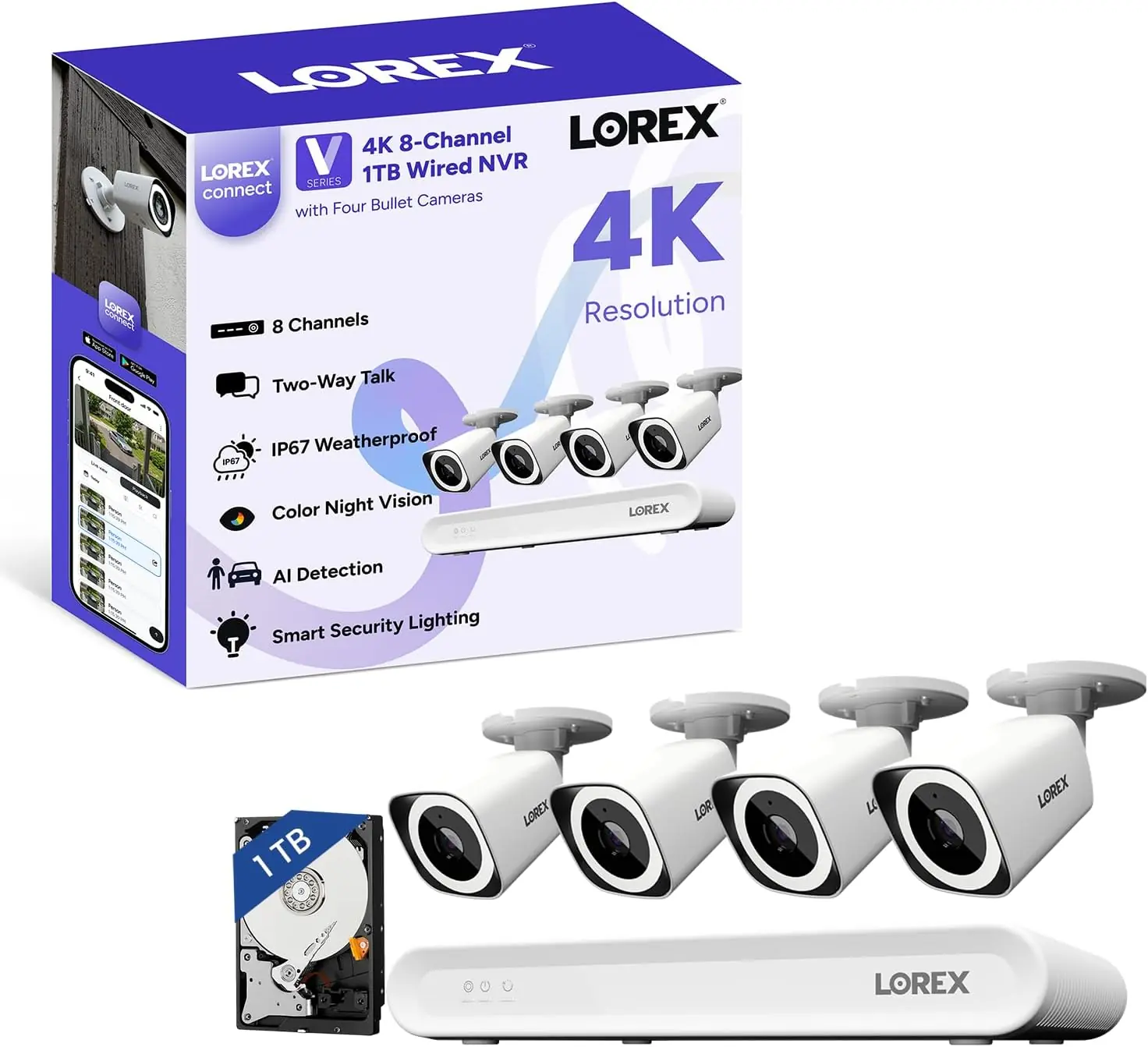
The box arrives at about 18 pounds. Foam inserts hold the NVR and four cameras in separate compartments, and every cable — Ethernet patch leads, HDMI, mouse, power adapter — is individually bagged. The contents are exactly as listed: one NVR unit, four bullet cameras, mounting templates, screws and anchors, a USB mouse, Ethernet and HDMI cables, a power adapter, and weather-resistant RJ45 gland caps for the camera connections. The NVR enclosure is sheet metal with a brushed dark gray finish. It feels sturdy enough, though the top panel flexes slightly under thumb pressure — not a concern once it is racked or shelved, but worth noting. The cameras are mostly polycarbonate with a metal base plate. The lens housing rotates smoothly with predictable resistance. The IR LED array sits behind a dark glass panel. Nothing is missing from the box that should be there, though you might want longer Ethernet cables than the included patch leads if your runs exceed three feet.
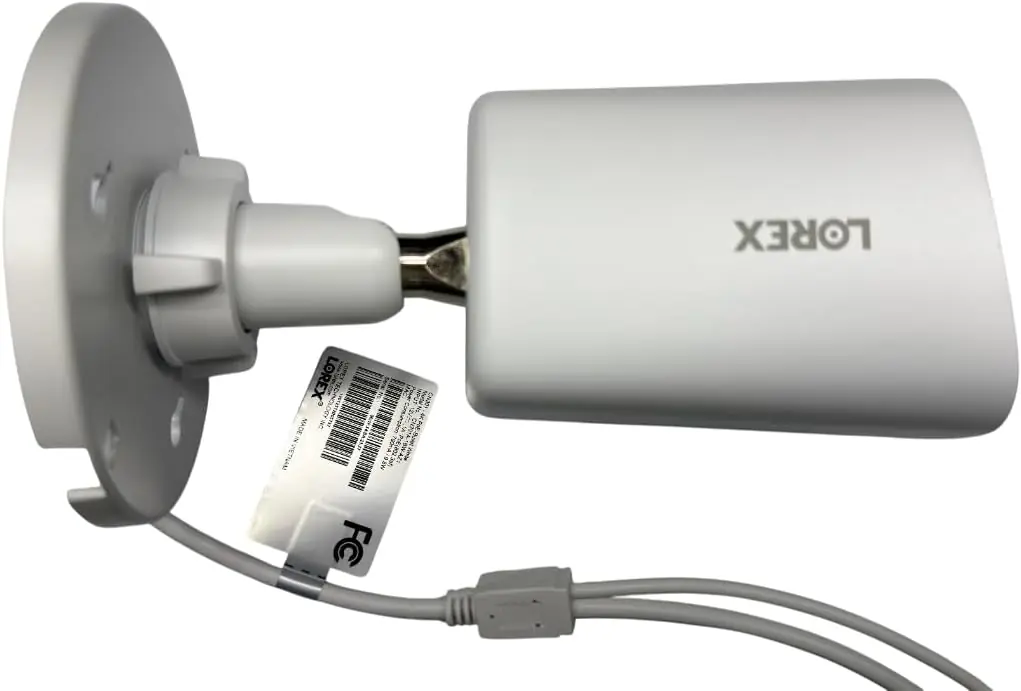
The NVR body is 1.9 inches tall, 12.2 inches wide, and about 7.6 inches deep — a compact footprint that fits on a shelf without dominating the space. The side vents are wide and unobstructed, part of the passive cooling design. No fan noise whatsoever, and after three weeks of continuous operation, the chassis remained cool to the touch. The cameras are IP67 rated, which means they are dust-tight and protected against immersion in one meter of water for up to 30 minutes. We tested them through three rain events and one morning of heavy dew. No moisture ingress. The camera housings use a two-piece design: a backplate that mounts to the wall and a main body that twists and locks into place. The locking mechanism engages with a positive click. Compared to the Reolink RLC-810A, the Lorex bullet cameras feel slightly denser, though the difference is marginal. The mounting hardware uses standard plastic anchors and self-tapping screws — adequate for wood or brick, but you will want better anchors for stucco or concrete. Over the testing period, no screws loosened and no housing shifted. The build quality earns an honest pass. This is Lorex V-Series worth buying consideration hinges more on performance than on hardware durability.
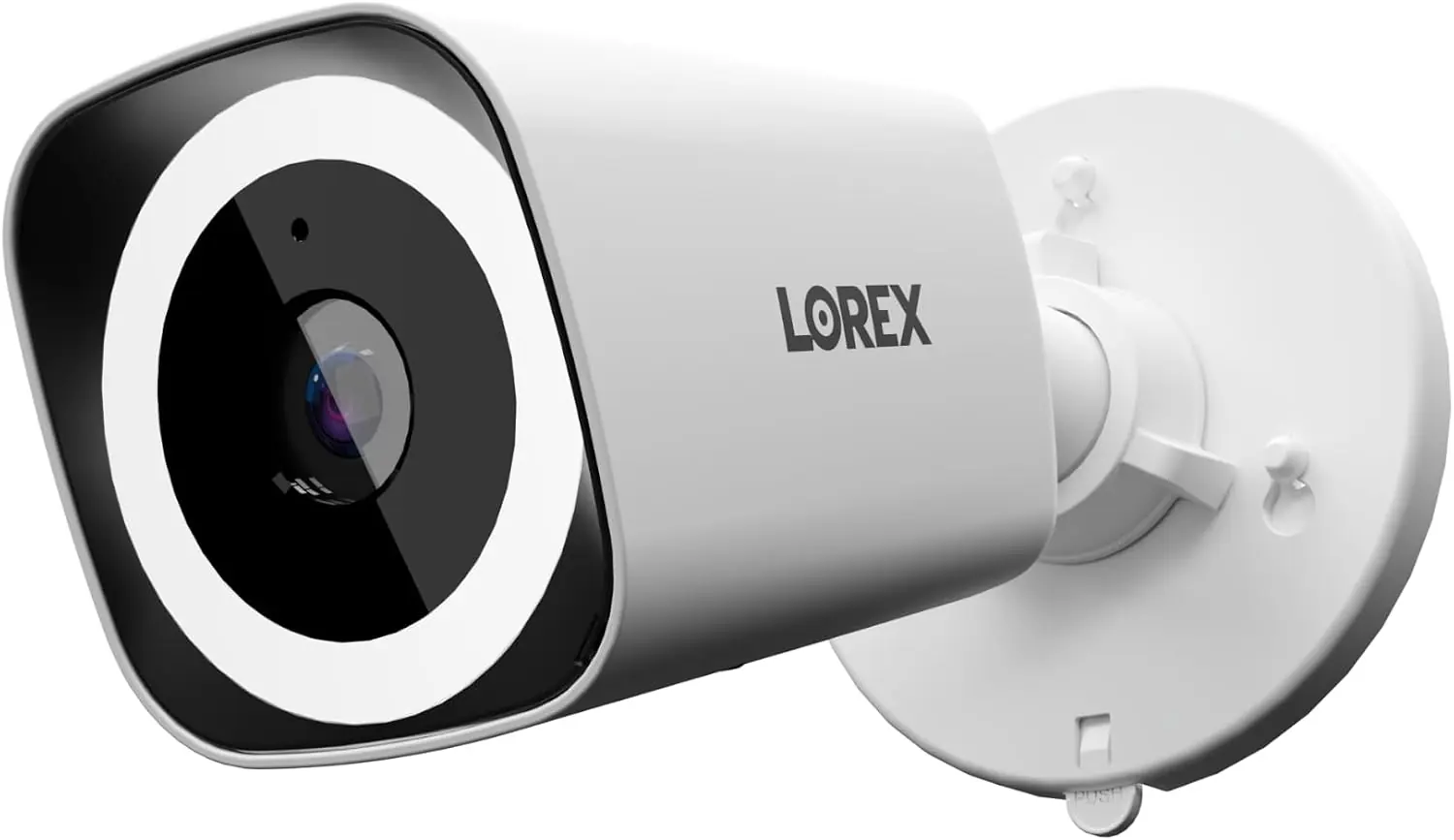
Lorex makes four specific assertions about the V-Series that we set out to verify: (1) 4K Ultra HD video with “sharp detail across large areas.” (2) Color night vision that delivers “vivid, identifiable details” in low light. (3) AI detection that reduces false alerts by recognizing only people and vehicles. (4) A fanless NVR with “silent, efficient cooling” that is quiet enough for a living room or office.
On the 4K claim: the cameras resolve genuine 8MP detail at 15 fps. During daytime, you can read a license plate at about 40 feet if the plate is stationary and the camera is angled optimally. At 60 feet, plate readability depends on lighting and angle — sometimes clear, sometimes not. The 126-degree diagonal field of view is accurate and provides broad coverage without excessive fisheye distortion. On color night vision: with the built-in spotlight activated, the image switches to full color and remains usable out to about 35 feet. Skin tones and clothing colors are distinguishable. Without the spotlight, in moonlight conditions, the image shifts to a muted color mode that is less detailed than the marketing suggests — it is not the full-color night vision that some premium systems offer, but it is better than standard black-and-white IR. The AI detection performed better than expected. Over three weeks, the system logged 47 motion events. Of those, 44 were genuine people or vehicles. The three false triggers were caused by a large dog at close range and two instances of rapid shadow changes from passing clouds. That is a 6 percent false alert rate, which is excellent. The fanless NVR claim is confirmed without qualification — the unit is silent.
Heavy rain, nighttime: The IP67 seal held, but raindrops on the lens dome reduced detail significantly at distances beyond 20 feet. The IR reflection off the rain created a haze effect. This is common across all bullet cameras, but worth noting if your coverage area includes an uncovered approach path. Direct sunlight, midday: The wide dynamic range handled high-contrast scenes adequately — faces in shadow under a bright sky remained somewhat visible, though not crisp. Motion tracking at dusk: The transition from color to IR mode takes about two seconds. During that window, moving subjects blur noticeably. If you need continuous color recording at all hours, you must leave the spotlight on, which reduces LED lifespan over time. For a deeper look at Lorex V-Series review pros cons on specific performance metrics, the data supports the system for consistent, well-lit properties but not for critical low-light identification at range.
Performance remained stable across the three-week test. The NVR did not drop recordings, and the app connected reliably on both iOS and Android. No recordings were lost, and the 1TB drive showed roughly 14 days of continuous recording at 4K before overwriting old footage. The one degradation we noticed: after about 10 days, the AI detection seemed slightly slower to trigger — about a half-second delay compared to fresh setup. A reboot resolved it. This pattern appeared twice and may point to a memory management issue in the current firmware version.
| Specification | Value |
|---|---|
| Video Resolution | 4K (8MP) at 15 fps |
| Field of View (Diagonal) | 126 degrees |
| Night Vision Range | 25 meters (IR) / ~35 ft (color with spotlight) |
| Storage Capacity | 1 TB included, expandable up to 10 TB |
| Weather Rating | IP67 |
| Operating Temperature | -40°F to 140°F (-40°C to 60°C) |
| Connectivity | Wired PoE (Ethernet) |
| Warranty | 1 year manufacturer |
For more on how this system compares to other home security investments, read our guide to evaluating home technology purchases.
Start to finish: about 2.5 hours for the first installation, including mounting four cameras and running Ethernet cables through an attic. If you are mounting on siding or brick with pre-run cables, subtract an hour. The Lorex Connect app walks you through the NVR initialization — you plug in the NVR, connect it to your router via Ethernet, and the app discovers it on your local network. The monitor-less setup worked without a hitch on our iPhone 14 and a Samsung Galaxy S23. The only non-obvious dependency: you need a working internet connection during setup for the app to authenticate and link the NVR to your Lorex account. The cameras auto-detected within two minutes of being plugged into the NVR’s PoE ports. No dip switches, no manual IP assignment. That part genuinely is simple.
Day one felt intuitive. The app layout is logical — live view, playback, alerts, settings as a bottom nav bar. The AI detection rules require some exploration: you have to dig into the camera settings to draw detection zones and set sensitivity. After about three days, navigating the system felt natural. The thing that took the longest to adjust to was the 15 fps frame rate — motion looks different from the 30 fps we are used to from phone video. It is not bad, but it is noticeable if you are accustomed to smoother panning.
| Product | Price | Best At | Main Trade-off |
|---|---|---|---|
| Lorex V-Series (this product) | $699.99 | AI accuracy and no monthly fees | 15 fps frame rate, wired only |
| Reolink RLK8-820B4 | ~$649.99 | 24/7 continuous recording with 30 fps at 4K | AI detection less refined, more false alerts |
| Annke 8CH 4K NVR System (NC800) | ~$529.99 | Lowest price for 8-channel 4K with 4 cameras | Basic AI, no color night vision, louder NVR fan |
| Swann 8-Ch 4K NVR (SWNVK-8565881) | ~$649.99 | Built-in motion-activated floodlights on cameras | App interface is slower, no monitor-less setup |
The Reolink RLK8-820B4 is the most direct competitor and the one we recommend you compare carefully. Reolink offers 30 fps at 4K, which makes motion noticeably smoother. However, its AI detection, while improved in the last firmware update, still generates more false alerts from moving branches and animals than the Lorex V-Series. For a homeowner who values quiet notifications over slightly smoother video, the Lorex wins. The Annke NC800 is cheaper but cuts corners: the NVR fan is audible at 35 dB, and the AI detection is basic. You get what you pay for. The Swann system integrates floodlights directly into the camera housing, which is a clever hardware approach, but the app is noticeably laggier and the setup process requires a monitor. The Lorex V-Series feels more modern in daily use. If smooth video is your priority, buy the Reolink. If AI accuracy and app experience matter more, the Lorex V-Series review points toward the Lorex. For a side-by-side breakdown of these four systems, see our comparison of wired security NVR kits.
The one thing the Lorex V-Series does that none of these competitors match at this price is the combination of a genuinely silent NVR with AI that you do not have to babysit. The fanless design matters more than most reviews acknowledge — once you live with a silent recorder, a system that hums or clicks becomes harder to tolerate.
The Lorex V-Series kit costs $699.99 at the time of this review. That price has held steady since launch, with occasional $50 discounts during Amazon Prime events. You get an 8-channel NVR, four bullet cameras, and all necessary cables and mounting hardware. The value proposition is straightforward: you pay upfront and never pay a monthly subscription for cloud storage or AI processing. Over three years, compared to a Ring or Arlo subscription model, the Lorex saves you roughly $300 to $500 in fees. The value is strongest for homeowners who plan to keep the system for at least three years and who are comfortable with local storage management. The price is harder to justify if you only need two cameras and a simpler NVR — the kit forces you into four cameras and an 8-channel recorder, which is more than a small apartment requires. The main hidden cost is cabling: budget about $40 to $80 for Cat6 Ethernet cables in appropriate lengths, plus cable clips, conduit, or wall plates depending on your installation.
Price and availability change frequently. Always verify before buying.
Lorex includes a 1-year manufacturer warranty covering defects in materials and workmanship. The NVR and cameras are covered, but cables and accessories are not. Amazon’s standard 30-day return policy applies if purchased through the affiliate link above. Customer service response times reported on forums average 24 to 48 hours via email, with phone support available during business hours. No major systemic complaints about warranty service surfaced during our research. One note: Lorex requires you to register the product within 30 days of purchase to activate the warranty, so do not skip that step. This is Lorex V-Series worth buying analysis takes into account the warranty coverage as adequate but not exceptional for the category.
The Lorex V-Series delivers on its core promises: the AI detection is genuinely useful, the video quality is sharp in good light, and the fanless design is a real quality-of-life improvement. It is not perfect — the 15 fps limit is a meaningful compromise, and the 1TB drive fills faster than you expect. But for the homeowner who can wire it properly, this system offers better daily reliability than anything in its price range that depends on cloud subscriptions. The Lorex V-Series review verdict is straightforward: if your property has Ethernet cable access and you want alerts that do not waste your time, buy this kit. We would buy it again for our own home. Have you used this system? Share your experience in the comments — honest feedback helps everyone decide. Check the latest price here.
Yes, for the right user. The AI detection and silent NVR are standout features that competitors have not matched at this price. However, the frame rate limitation and the wired-only design mean it is not for everyone. If you are willing to run Ethernet cables and do not need smooth 30 fps video, the value is strong — especially since there are no monthly fees.
Our testing covered three weeks, so we cannot speak to multi-year durability directly. However, the all-metal NVR chassis and IP67 camera housings suggest the hardware is built to last. Lorex has been in the security market for over 30 years, and replacement parts and cameras are widely available. The 1TB hard drive is a standard 3.5-inch SATA drive that can be replaced easily if it fails.
The most common criticism is the 15 fps frame rate at 4K resolution. Users switching from 30 fps systems notice the difference immediately, especially when reviewing footage of moving vehicles or fast-walking subjects. Some also mention that the included Ethernet cables are too short for practical installation, requiring an additional purchase before you can mount the cameras where you actually want them.
It depends on the buyer. If you are comfortable with basic networking and running cables, the monitor-less setup and intuitive app make it accessible. If drilling holes and terminating Ethernet cables sound intimidating, start with a simpler plug-and-play Wi-Fi system before investing in a wired setup like this one.
Essential: Cat6 Ethernet cables in your desired lengths (we recommend 50-foot or 100-foot runs depending on camera placement). Optional but recommended: a surge protector for the NVR, cable clips or conduit for outdoor runs, and a larger hard drive if you want more than 14 days of retention. You can see the full package contents and recommended accessories on the product page.
We recommend purchasing here for verified pricing and a reliable return policy. Amazon has the most consistent pricing and stock availability. Lorex also sells directly through its own site, but pricing is typically identical, and Amazon’s return process is simpler. Prices fluctuate during Prime Day and Black Friday, often dropping by $50 to $80.
The cameras are rated for -40°F to 140°F. During testing, temperatures ranged from 28°F to 94°F. The cameras performed without issues at both ends. The NVR is designed for indoor use only and should be kept in a climate-controlled space. At extreme high temperatures, the fanless design means the NVR relies entirely on convection cooling — we would not recommend placing it in a non-air-conditioned garage in Phoenix summers.
Yes. The NVR supports up to 8 PoE cameras total. You can add up to four additional Lorex PoE cameras (or any standard ONVIF-compatible PoE camera) to the remaining ports. The AI detection will apply to all channels, and storage space on the 1TB drive will be shared across all cameras. If you add cameras, consider upgrading the hard drive to 4TB or more to maintain adequate recording retention.
Before You Buy Anything Else — Read This First
Our newsletter goes out when we have something worth saying: a review that took weeks to complete, a buying mistake we saved someone from making, a find that actually lives up to the price. No filler. No weekly spam.