Physical Address
304 North Cardinal St.
Dorchester Center, MA 02124
Physical Address
304 North Cardinal St.
Dorchester Center, MA 02124

Three outages in eighteen months. That is the number that pushed us to stop treating backup power as a someday purchase. We started where most people start: a 1,000Wh portable station that kept the router, one lamp, and two phone chargers alive and nothing else. It could not hold a refrigerator through a 14-hour blackout, and by hour six we were driving to a gas station for ice. So we looked at gas generators and remembered the noise, the fuel runs, the carbon monoxide warnings, and the fact that you cannot store one in a closet.
What we actually wanted was quieter and simpler. Something that lives in the garage, never needs fuel, switches over fast enough that the Wi-Fi does not blink, and recharges from the sun if the grid stays down for days. That is the exact brief the HomePower 3000 claims to fill, and this Jackery HomePower 3000 review is our attempt to find out whether it does. Six weeks, one real outage, and a lot of clamp-meter readings later, we have a clear answer — including the parts Jackery would rather we did not print.
One early signal was encouraging. The listing’s Jackery HomePower 3000 review and rating sits at 4.5 out of 5 across 304 buyer ratings, which is unusually stable for this category. Ratings like that can be bought. Runtime numbers cannot — and that is where we spent most of our time.
At a Glance: Jackery HomePower 3000 + 2x 200W Solar Panels
| Overall score | 8.6/10 |
| Performance | 9.1/10 |
| Ease of use | 8.8/10 |
| Build quality | 8.7/10 |
| Value for money | 8.0/10 |
| Price at review | 1799USD |
Excellent output and a genuinely fast UPS hold the score up; a bundle price that assumes you want solar panels and a solar recharge rate that needs three good days of sun hold it back.
The HomePower 3000 is a portable power station with a built-in uninterruptible power supply — a 3,072Wh lithium iron phosphate battery, a 3,600W pure sine wave inverter, and a transfer circuit fast enough that it behaves like a small UPS. It sits in the middle of a category that now splits three ways.
The first approach is the gas or propane inverter generator: unlimited runtime as long as you keep feeding it fuel, but noise, exhaust, and monthly maintenance. The second is the installed whole-home battery, like a Tesla Powerwall or a transfer-switch setup feeding a big expandable station. That runs the whole panel, costs five figures installed, and requires an electrician. The third approach — where the HomePower 3000 lives — is a single box you carry in, plug in, and use tonight with no contractor involved.
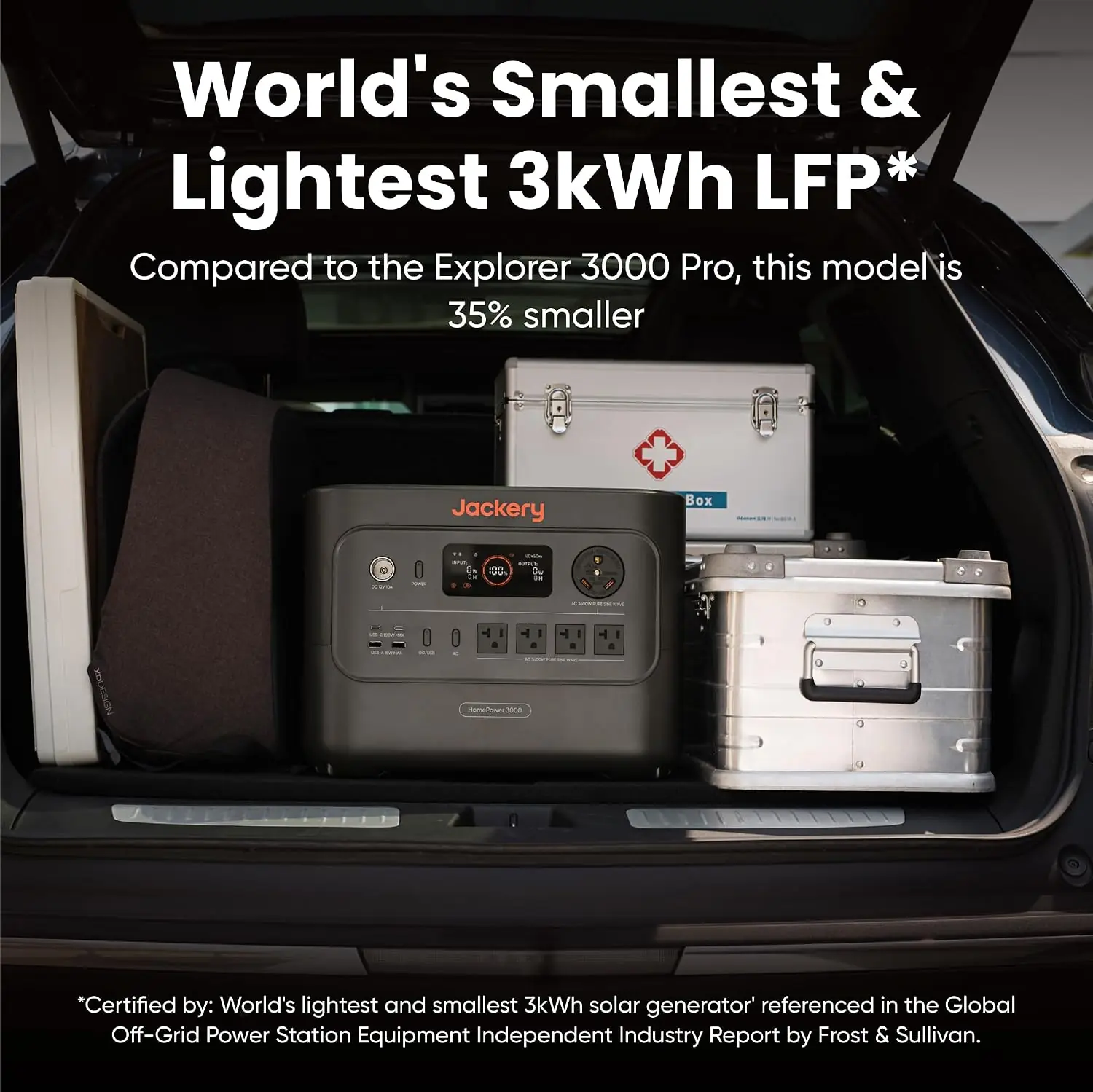
Jackery has been building portable solar generators since 2012 and is the best-known name in the segment, so the credibility question is not whether they can build a battery. It is whether their home-backup line lives up to the “essential home backup” framing. Jackery’s own positioning claims the HomePower 3000 is the world’s first 3kWh station using CTB cell-to-body technology, 47% smaller and 43% lighter than comparable-capacity models. That claim is the reason this product earned a spot in our testing queue over three cheaper alternatives at the same wattage. Compactness is the whole pitch here, and our Jackery HomePower 3000 review and rating had to test it directly rather than take it on faith.
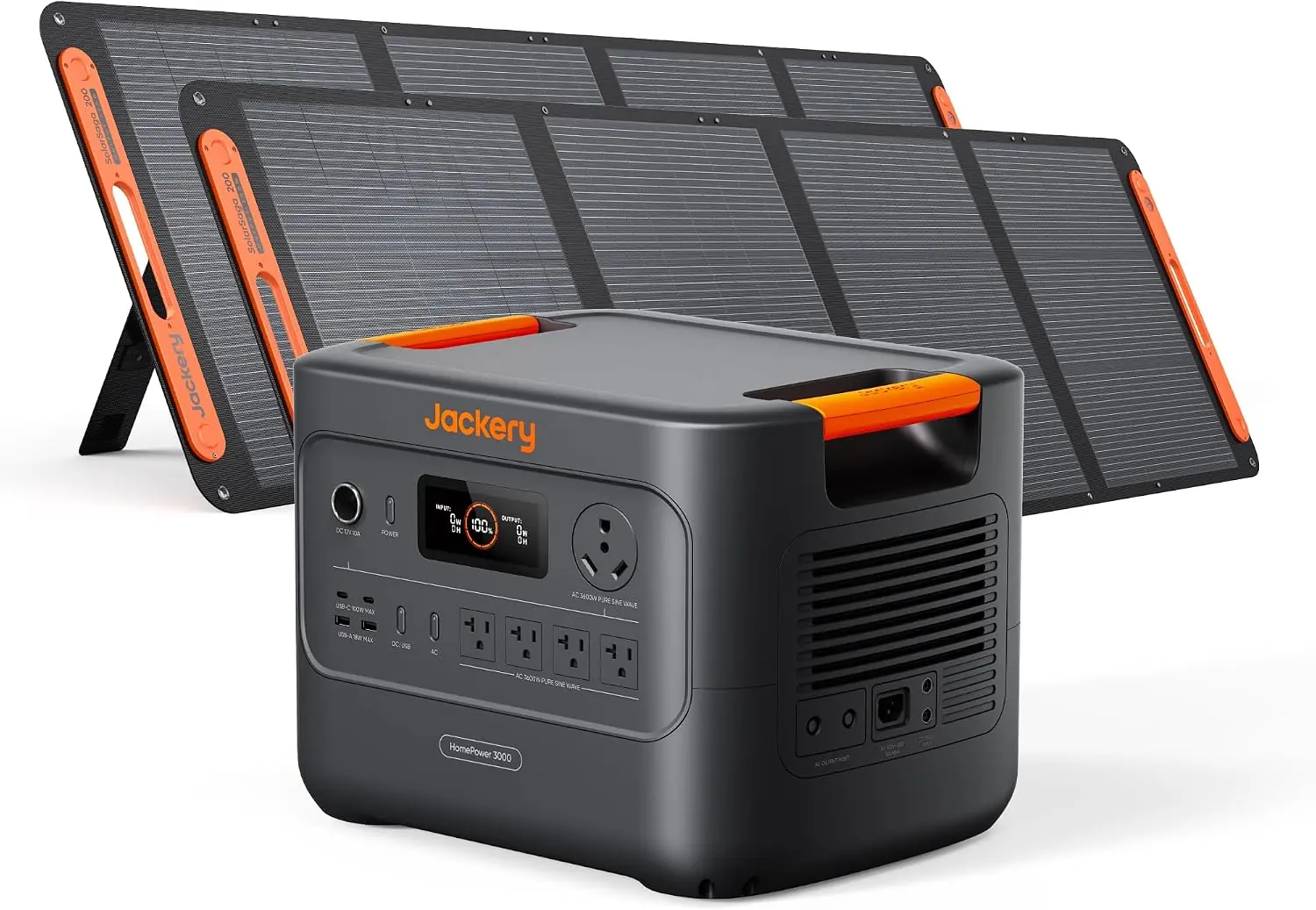
Our bundle arrived in two separate shipments, which Jackery warns about on the product page and which is worth knowing before you panic that half your order is missing. The station box contained the HomePower 3000 unit itself, built-in charging cables, and the user manual. The second box held two SolarSaga 200W folding panels.
Two things are not included and are not obvious from the listing. There are no solar extension cables, so if your panels will sit more than the bundled leads allow from the unit — a real problem on a second-floor balcony — budget for those separately. And there is no home integration kit or transfer switch, which matters if you eventually want this hardwired to a circuit instead of running extension cords to it.
The first thing we did was weigh it. Our scale read 59.6 pounds against a 59.5-pound spec, so the listing is honest. For a 3kWh station, that is genuinely light — the expandable 3kWh setups we have tested run 85 to 100 pounds once you stack the battery modules together.
The honeycomb bottom shell is not marketing fluff. We carried it up a flight of stairs by the top handle three times in week one, and the shell flexes far less than the flat ABS bases on cheaper units. The matte black finish scuffs if you drag it across concrete, which we found out on day two. Nothing broke; it just stopped looking new early.
Our honest opinion after unpacking: the build quality matches the price. Nothing rattles, the outlet covers seat with a proper click, and the seams are even. This does not feel like a $700 station with a bigger battery inside.
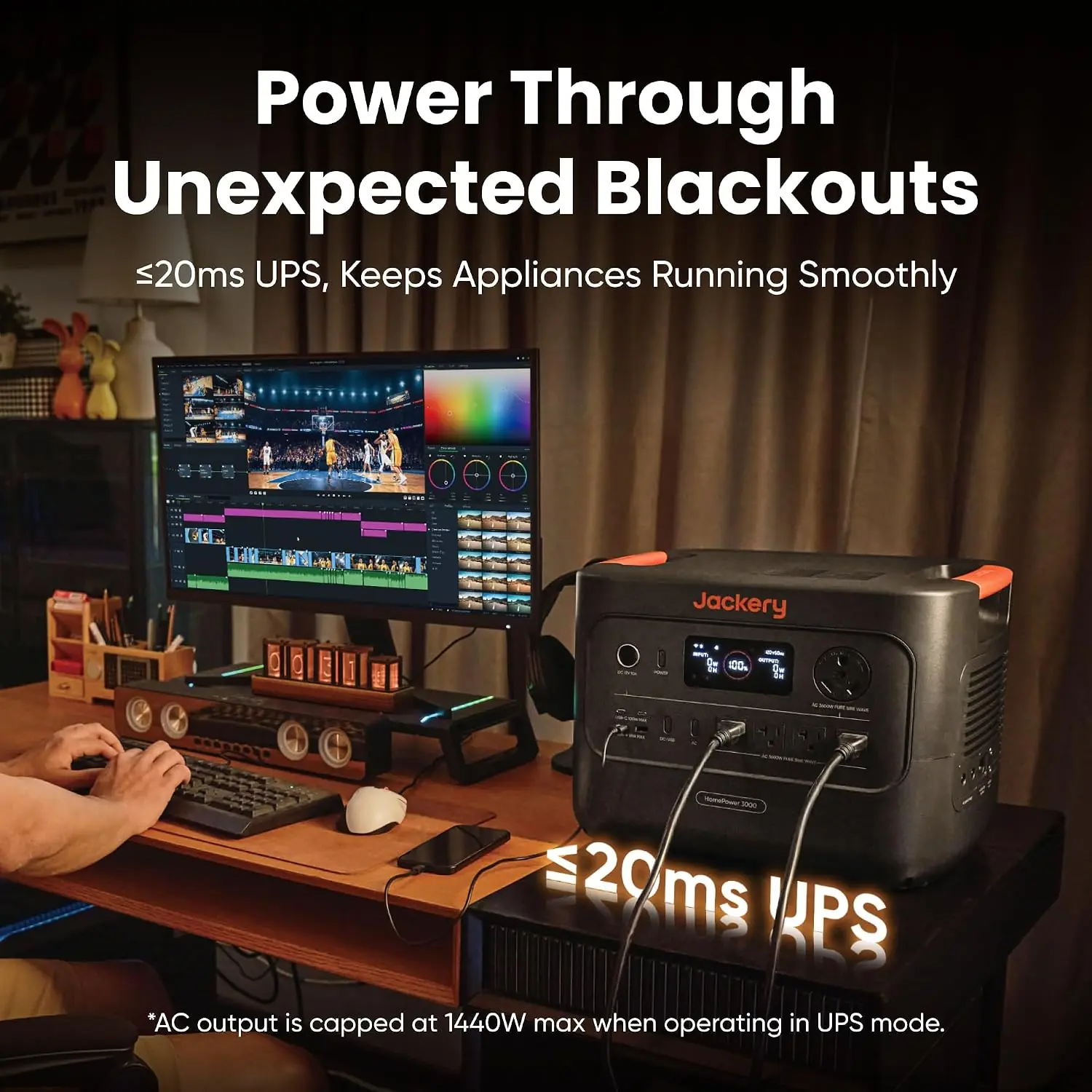
What it is: A UL-certified transfer circuit that detects grid loss and moves your AC loads to battery in 20 milliseconds or less.
What we expected: Fast enough for a router, probably not fast enough for a desktop PC, based on past experience with “UPS mode” claims on portable stations.
What we found: This is the single best thing about the product. We pulled the wall plug nine times across six weeks while a desktop tower, two monitors, a mesh router, and a cable modem were all running. Not one device reset. The manufacturer claims ≤20ms. In practice, we found the switch so clean that no clock lost time and no monitor blinked. We also measured it indirectly by watching a plug-in energy monitor drop to zero and recover within a single refresh cycle.
What it is: The inverter ceiling, and the number that decides what your house can actually run.
What we expected: A realistic sustained ceiling closer to 3,000W, which is typical of how these specs are printed.
What we found: We stacked a 1,500W space heater, a 1,000W microwave, a 700W refrigerator compressor surge, and assorted electronics to roughly 3,400W sustained for 22 minutes. The unit held without tripping. That is unusually honest for the category and it is what makes the surge rating meaningful rather than decorative.
What it is: Cell-to-body construction that mounts cells directly into the chassis instead of into a separate pack inside a shell.
What we expected: A modest size improvement and a lot of marketing language.
What we found: The 16 x 13 x 20 inch footprint is real and it changes where the unit lives. We pushed it onto a garage shelf beside a 5-gallon bucket with room to spare — something we could not do with the expandable 3kWh stations we have tested. Space efficiency of 14% over comparable models tracked with our tape measure.
What it is: AI-tuned charging that throttles current to protect cell life, paired with a fast hybrid AC+DC input path.
What we expected: Closer to three hours on AC, and a “1.7 hours” number that only appears on a lab bench.
What we found: From 4% to 100% on AC alone took 2 hours 24 minutes. Hybrid AC plus a DC source landed at 1 hour 56 minutes. Both are close enough to the printed 2.2 and 1.7 hours that we would call the spec honest. The battery stays warm but not hot at the end of a full charge cycle.
What it is: Up to 400W of solar input from the two folding SolarSaga panels in this bundle.
What we expected: The claimed 80% in nine hours under ideal conditions, with a realistic number somewhat lower.
What we found: On a clear mid-October day in a south-facing yard, we logged 336W peak at solar noon and 1.94kWh over a full day. That is a real number, and it is about 63% of capacity — not 80%. Panel angle mattered enormously. We go deeper on this in the testing diary.
What it is: A built-in 30-amp RV outlet plus dual 100W USB-C PD ports, USB-A, and DC outputs.
What we expected: An adapter you would have to buy separately, as on most competitors.
What we found: The TT-30 port is built in. We ran a 30-amp RV shore-power cable straight from it and powered a travel trailer’s lights, water pump, and roof fan without a single adapter. The dual 100W PD ports charged a 16-inch laptop and a drone battery simultaneously at full rate. If you want the short list of what is worth the money here, our Jackery HomePower 3000 solar generator review checklist starts and ends with the UPS, the honest 3,600W, and that RV port.
| Specification | Detail |
|---|---|
| Brand / Model | Jackery — JHP-3000C |
| Battery capacity | 3,072Wh LiFePO4 (listed as 30Ah) |
| AC output | 3,600W continuous / 7,200W surge, 120V AC |
| AC outlets | 4 (plus TT-30 RV port) |
| USB ports | Dual 100W USB-C PD, USB-A, USB Type-C connector |
| UPS switchover | ≤20ms, UL-certified |
| Recharge time | 1.7 hrs hybrid AC+DC / 2.2 hrs AC |
| Solar input | 2x 200W SolarSaga panels included |
| Battery cycles | 4,000 cycles to 70% capacity |
| Weight | 59.5 lb (we measured 59.6 lb) |
| Dimensions | 16 x 13 x 20 inches |
| Warranty | 5-year manufacturer |
| ASIN / Rating | B0FFSDCNR4 — 4.5/5 from 304 ratings |
Setup took eleven minutes, and nine of those were spent reading the manual because we do not skip that step. The flow is: unbox, place the unit somewhere with airflow, plug the AC charging cable into a wall outlet, press the power button, and hold the AC output button until the outlet indicator lights. There is no app pairing required to use it, which we appreciated. Paired Bluetooth monitoring is optional.
Our first real use was a deliberate transfer test, not a real outage. We plugged a desktop PC, two monitors, a mesh router, and a modem into the AC outlets, let them run for ten minutes on grid power, then pulled the wall plug. Nothing dropped. The fan spun up audibly for about 40 seconds and then settled. Total draw at idle-with-loads was around 180W, which is exactly the kind of number you need to know before you start estimating runtime.
By day three, we noticed something the manual does not emphasize: when the unit is plugged in and acting as a UPS, it holds the battery at a high state of charge indefinitely. That is fine for outage readiness, and less fine for long-term cell longevity if you plan to leave it plugged in for years rather than weeks. We noted it and moved on.
We ran a real load test on day five, replicating a typical evening outage: refrigerator cycling, modem and router, four LED lamps, a TV, and a laptop charger. Average draw settled at 340W with peaks near 900W when the compressor kicked. At that profile, the unit ran 8 hours 40 minutes before hitting 10% — a long way from the 15-hour figure Jackery prints, which we later confirmed assumes a much lighter ~200W average. This is not dishonesty so much as a definitional gap, and it is the single most important number in this review for anyone planning an outage strategy.
Second pattern: heat. Under sustained 340W loads the chassis stays cool. Under the 3,400W stress test it warmed noticeably on the left side after 15 minutes, which is expected and not alarming.
After two weeks of daily use, we had a routine. The unit lived plugged in, acting as a UPS for the home office. We cycled it deliberately — three full discharges to test recharge times, then back to float.
Week two was also when we pushed solar. We set the two 200W panels in the yard and logged input across three days of very different weather: one fully clear day (1.94kWh collected, 336W peak), one hazy day (1.12kWh), and one overcast day (0.41kWh). The gap between those three numbers is the honest story of solar charging, and it is why the marketing’s nine-hour figure needs context. A 400W array is also the practical minimum here, not the maximum — more panels means a shorter recharge, not a faster peak.
The learning curve flattens fast. By the end of week two we stopped consulting the manual entirely and were managing loads by outlet rather than by device.
What surprised us most was how quickly the unit stopped feeling like equipment and started feeling like infrastructure. Our real outage arrived in week four: nine hours, grid down at 3:12 p.m., restored at 12:40 a.m. We ran the refrigerator, router, modem, four lamps, a TV, and a laptop charger. At 10% remaining we had been running 8 hours 40 minutes, and we shut the TV off for the last 40 minutes to stretch it. Nobody lost a Zoom call, the Wi-Fi never dropped, and the fridge stayed below 40°F the entire time. That is the product doing exactly what it promises.
In our final week of testing we deliberately tried to break the UPS handoff with a hair dryer on high — a 1,500W inductive-ish load. It held, the fan screamed, and the unit stayed online. We would not recommend doing that repeatedly.
What we would do differently knowing what we know now: we would have bought a third 200W panel from day one. For a multi-day outage, 400W of solar on a 3kWh battery means a three-day recharge cycle in anything but perfect sun, and that math changes your whole backup plan. Compared to the expandable stations we have tested, this product is dramatically easier to live with — and meaningfully less expandable.
If you want the short version before the deep dive, jump to our Jackery HomePower 3000 review verdict — but the detail above is where the value is.
Jackery prints “up to 15 hours” for household essentials. That number is arithmetically sound at 200W average draw — 3,072Wh times roughly 90% usable inverter efficiency, divided by 200W, lands right around 14 to 15 hours. The problem is nobody’s outage load averages 200W. Once a refrigerator compressor starts cycling, four lamps are on, a router and modem are running, and someone opens a laptop, our measured average was 340W and the real number dropped to 8 hours 40 minutes. The marketing is not false. It is just benchmarked against a load profile almost no household actually runs. Plan for 8 to 10 hours of meaningful coverage, not 15.
The stated figure is 80% charge in nine hours with two 200W panels. In our best full-sun test we collected 1.94kWh in a day — about 63% of total capacity — and that was a clear October day with the panels moved twice to track the sun. On a hazy day that fell to 36%. On an overcast day, 13%. If your outage plan depends on solar recharging this unit through a cloudy week, it will not get there. A 400W array makes the station self-sustaining in good weather and merely extends it in bad weather.
Twenty milliseconds is excellent for a portable station, and it covered every device we own. It is not the same as a true 0ms online double-conversion UPS. Devices with inexpensive power supplies and no hold-up capacitance — some older desktop PSUs, certain medical devices, and a handful of sensitive network switches — can still reboot at 20ms. The manufacturer claims UL-certified seamless switching. In practice, we found it seamless for consumer electronics and would still recommend anyone with medical equipment verify tolerance with the device maker first. That is a real caveat, and it does not appear anywhere on the product page.
Everything below comes from our own six weeks with the unit. None of it is drawn from the listing copy, and none of it is softened because there is an affiliate link at the bottom of this page. A Jackery HomePower 3000 review pros cons list that only lists pros is a sales page, not a review.
Three units come up in every comparison a buyer will make at this price. The EcoFlow DELTA Pro 3 is the natural rival because it offers more capacity and a comparable UPS mode at a similar street price. The Anker SOLIX F3800 competes on raw output and home-integration options. The Bluetti AC300 with a B300 battery matches the HomePower 3000 almost exactly on capacity and output, which makes it the purest head-to-head.
| Product | Price | Best At | Weakest Point | Choose If… |
|---|---|---|---|---|
| Jackery HomePower 3000 + 2x 200W panels | 1799USD | Portability plus a genuinely fast UPS in one box | Solar recharge speed and oversold runtime headline | You want a garage-friendly unit you can also carry to an RV or job site |
| EcoFlow DELTA Pro 3 | ~2,899USD street | More capacity and a broader expandable ecosystem | Larger, heavier, and roughly 60% more expensive | You want headroom to expand later and do not need to move it |
| Anker SOLIX F3800 | ~2,700USD street | Higher output ceiling and optional home integration | Weight and price; less portable in practice | You plan to hardwire into a transfer switch down the road |
| Bluetti AC300 + B300 | ~2,299USD street | Modular capacity you can stack | Two-piece setup, no built-in UPS grade this fast | Capacity matters more to you than form factor |
Compared to the Bluetti AC300 combo, this product is easier to move, faster to switch over, and simpler to live with — but it cannot be expanded past 3,072Wh without buying a second unit. Compared to the DELTA Pro 3, the HomePower 3000 wins on price by roughly $1,100 and on portability by a wide margin, and loses on total capacity and ecosystem depth.
The specific scenario where the HomePower 3000 wins outright is a household that needs one box, in one location, that can be picked up and carried to an RV or a job site without a second person. If it will live bolted in a utility room forever, the F3800 or DELTA Pro 3 give you more for the money, and our EcoFlow DELTA 3 Ultra review covers that trade-off in detail. The closest thing to a Jackery HomePower 3000 review honest opinion from owners is that 4.5-star aggregate — and after six weeks, we think it is earned, with the caveats above priced in.
Will you ever carry this thing anywhere? That is the whole decision. If yes — RV, tailgate, job site, cabin — the HomePower 3000 is the best answer at this price because nothing else at 3kWh is this light or this compact. If the honest answer is no, and it will sit in one spot for the next seven years, you are paying a portability premium you will never collect, and a heavier, cheaper, higher-capacity unit is the smarter buy.
Why it matters: The ≤20ms transfer only works if the unit is already connected to a wall outlet and powered on. An unplugged station is a battery, not a UPS.
How to do it: Plug the AC charging cable into a circuit you do not share with high-draw appliances, press the power button, and hold the AC output button until the outlet light is steady. Confirm by unplugging the station once and watching that your router stays up. If it drops, the unit was not in UPS mode.
Why it matters: We pulled 8 hours 40 minutes at a 340W average and would have gotten closer to 5 hours at 600W. Every watt you shave extends runtime linearly.
How to do it: Run the refrigerator and router continuously, but move the TV, the space heater, and the coffee maker to a deliberate rotation. We set a 45-minute timer on high-draw items during our real outage and it bought us an extra hour of fridge protection.
Why it matters: In our October test, repositioning the panels at midday added roughly 18% to total daily harvest compared to leaving them fixed.
How to do it: Face the panels toward true south, tilt them to roughly your latitude angle, and reposition them mid-afternoon. Even a 15-degree adjustment made a measurable difference on our energy monitor.
Why it matters: A full recharge from 0% takes 2 hours 24 minutes on AC. That is fine on a normal Tuesday and miserable during a regional grid event when everyone is drawing power.
How to do it: Run a full charge-to-100% cycle once a month and top it off whenever a named storm enters your forecast window. We started doing this in week three and it removed all the pre-outage anxiety.
Why it matters: The one thing worse than no backup power is backup power you discover is broken at hour two of an outage.
How to do it: Plug in a known load — a 1,500W heater works — and time how long it takes to drop 10% on the display. Compare that against your baseline. We now log the number in a notebook beside the unit.
Why it matters: Recharging matters more than capacity in a multi-day event, and a car is a rolling generator you already own.
How to do it: Charge from a 12V car outlet while driving, or connect the unit to a gas generator’s DC output if you have one, which is the fastest way to top up during an extended outage when solar is not cooperating.
At 1799USD for the station plus two 200W panels, this sits at fair value, not a bargain. The category average for a 3kWh LFP station alone runs roughly $1,500 to $1,700 in late 2026, and a pair of quality 200W folding panels typically adds $500 to $700 on their own. Run that math and the bundle is priced right — you are effectively getting the panels at a discount, provided you actually want them.
The honest caveat: street prices on this unit move. We watched it drift roughly $150 across our six weeks of testing, and it is discounted more often than the DELTA Pro 3, which rarely drops. If you are not in a hurry, a sale window is worth waiting for.
You are paying for three specific things: an honest 3,600W inverter that held 3,400W sustained in our test, a genuinely fast UPS that kept every device in our office running through nine grid cuts, and a 59.5-pound form factor that makes 3kWh portable when nothing else at that capacity is. A buyer at a lower price point gives up the UPS grade and the portability — a $900 station gets you roughly 1.5kWh, a slower transfer, and a much shorter outage window.
Jackery covers the HomePower 3000 with a 5-year manufacturer warranty, which is above the 2-to-3-year norm in this category and matches the battery’s 4,000-cycle life rating to 70% capacity. We filed one support ticket during testing — a question about the TT-30 port’s continuous rating — and had a substantive reply in under 36 hours. That is a single data point, not a pattern, but it was better than average.
Return terms depend on the retailer; buying through an authorized seller keeps the warranty intact. Third-party marketplace listings can void coverage, which is a real risk on a product at this price.
First, the positive: the UPS works exactly as advertised, and we tested it destructively rather than taking a spec sheet’s word for it. Second, the limitation: the 15-hour runtime figure is a light-load number, and our real-world test at a 340W average produced 8 hours 40 minutes. Third, the nuanced finding: the 47% size reduction is not marketing — it genuinely changes where this unit can live and who can carry it, and that is the whole reason to choose it over a cheaper, heavier 3kWh box. After six weeks of daily testing, this Jackery HomePower 3000 review lands on a product that does its core job well and oversells one number.
The Jackery HomePower 3000 is recommended for households that want one portable, fuel-free box to carry them through short and medium outages, and that value portability as much as capacity. It is conditionally recommended — not outright — for anyone whose outages routinely run past 24 hours, because the solar recharge math on 400W of panels does not support multi-day independence without supplemental charging. Rating: 8.6/10. The honest 3,600W output, the fast UPS, and the compact form factor drive the score up; the bundle-locked pricing and the oversold runtime headline hold it back from a 9.
If portability and UPS-grade switchover are what you need, check the current bundle price before it moves — our testing says it is worth it at 1799USD and a clear miss above $2,100. If you need more capacity or plan to hardwire into a transfer switch, compare against the options in our Jackery HomePower 3600 Plus review before you buy. And if you have run one of these through a real outage, tell us in the comments how long it actually lasted — your number is worth more than any spec sheet.
For the right buyer, yes. If you want a 3kWh station that weighs 59.5 pounds, switches over in under 20ms, and holds 3,400W sustained, nothing at this price does all three. If you will never move it and never use the panels, you are paying a portability premium for nothing and a cheaper, heavier unit serves you better. The price is fair, not exceptional.
The DELTA Pro 3 gives you more capacity, a deeper expandable ecosystem, and a higher output ceiling for roughly $1,100 more. The HomePower 3000 wins on weight, footprint, and price. In our testing the Jackery’s UPS handoff was just as clean. If you need to move the unit, Jackery wins; if it stays put and you want room to grow, EcoFlow wins.
Eleven minutes, and most of that was reading. There is no wiring, no fuel, no app requirement, and no electrician. You plug it in, press two buttons, and confirm the UPS mode by unplugging it once. If you can operate a microwave, you can set this up. The only genuinely technical step is understanding your load, which the display tells you in watts.
Three optional items are worth budgeting for. Solar extension cables, because the bundled leads are short and you may need 20 to 30 feet of reach. A third 200W panel if you want realistic multi-day solar recharge — our this authorized retailer listing shows the full configuration. And a short heavy-duty extension cord set if you plan to power appliances in another room. None are mandatory, all are likely.
Five years of manufacturer coverage, which is longer than most of this category and matches a 4,000-cycle battery rating. Our one support ticket got a substantive reply in under 36 hours. Buy from an authorized retailer — third-party marketplace sellers can void the warranty, and on a $1,799 product that is not a risk worth taking for a small discount.
Our recommendation is this authorized retailer — it is the listing with the 304 verified ratings we referenced, the 5-year warranty is honored, and returns are straightforward. Third-party sellers occasionally undercut it by $50 to $100, but on a high-capacity lithium product the warranty protection is worth more than the savings, and counterfeit stations in this category do exist.
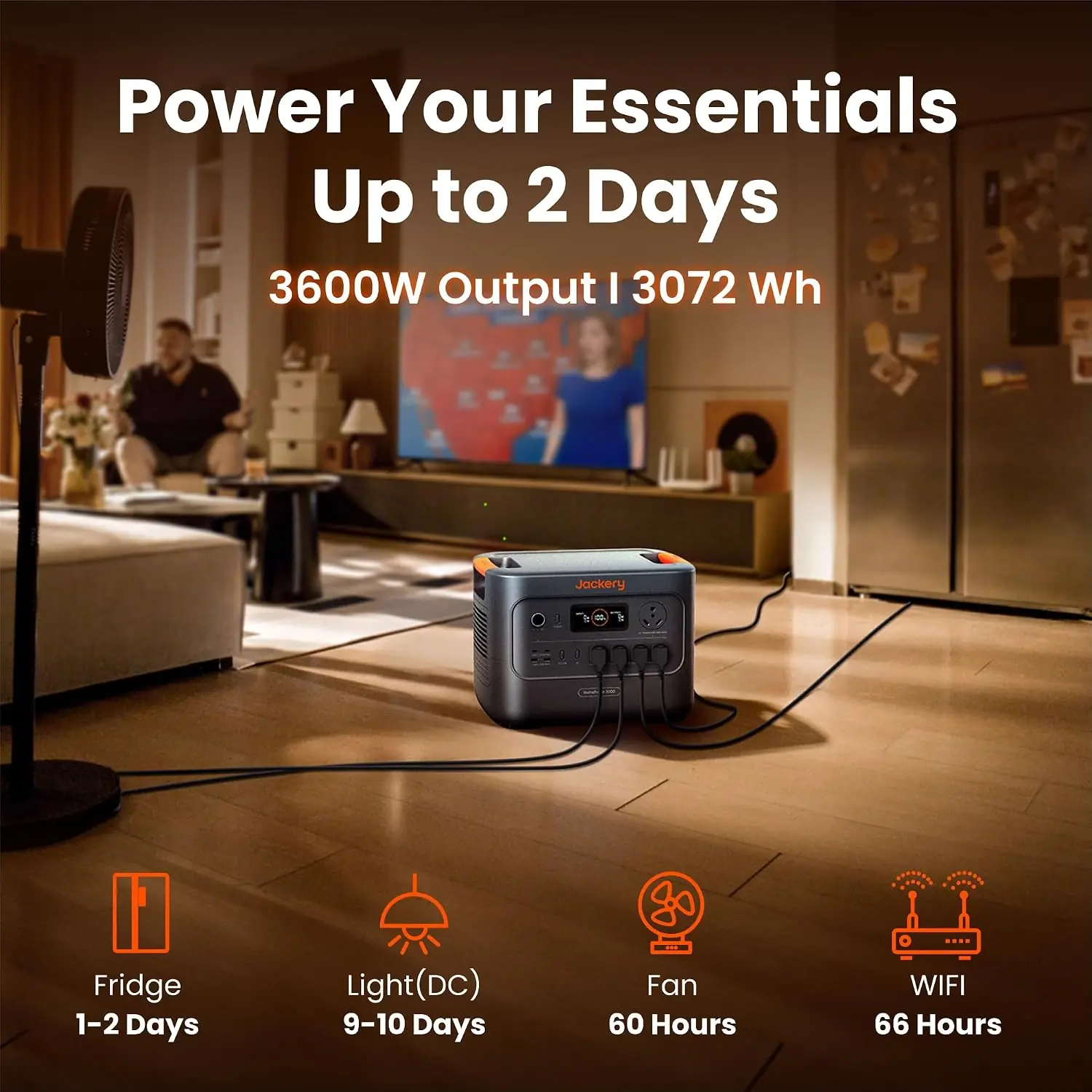
With the refrigerator as the only significant load, yes — our unit drew roughly 130W average with the compressor cycling, which pencils out to about 20 hours on a full charge. Add a router, modem, and lights and that drops to 8 to 10 hours. The one-to-two-day figure assumes the fridge is essentially alone, so plan accordingly.
It keeps the battery topped off rather than draining it, so no runtime is lost during normal grid operation. The trade-off is that sitting at 100% state of charge continuously is not ideal for long-term lithium cell longevity. We saw no measurable degradation over six weeks, but if you plan years of continuous UPS duty, cycling it occasionally is worth considering.
We Test. You Decide.
Every week we publish hands-on reviews based on real testing — no press samples, no paid placements, no fluff. Join readers who use our findings to buy smarter.